HP Pavillion dv4-4141us Hard Drive Replacement
ID: 146591
Description: Is your device struggling to load files or...
Steps:
- Lift up the back panel using a spudger, and remove it from the device.
- Using the Phillips #1 screwdriver unscrew the panel from the computer.
- Lift the panel up and remove it from the laptop.
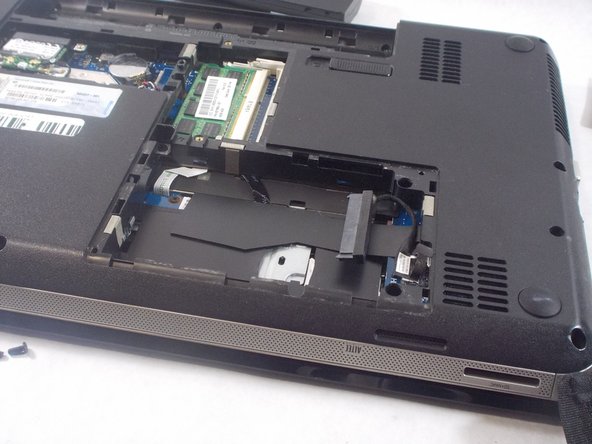
- Use the spudger to lift the left side of the hard drive.
- Unplug the hard drive and remove it from the device.