Slingbox 500 Motherboard Replacement
ID: 146596
Description: Replacing a motherboard on your Slingbox 500 is...
Steps:
- Remove the sticker on the back of the Slingbox that covers the rear screws using a spudger.
- Remove the seven 7.9 mm rear screws from the device using a Phillips #1 screwdriver.
- Flip your Slingbox so the bottom is facing upwards.
- Remove the four 7.9 mm screws using a Phillips #1 screwdriver.
- You may have rubber feet on the bottom of your Slingbox. If you do, just gently remove them with your hands and set them aside to put back on later.
- Remove the upper section of the case by rotating your Slingbox to view the back and lifting up on the higher corner.
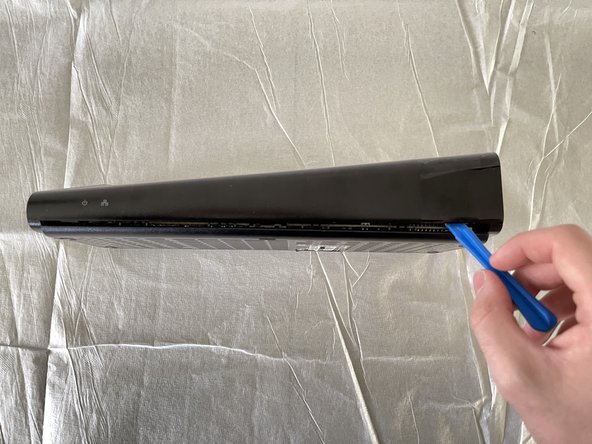
- Use the opening tool to disconnect the small clips in the front.
- These may require some minor force to disconnect.
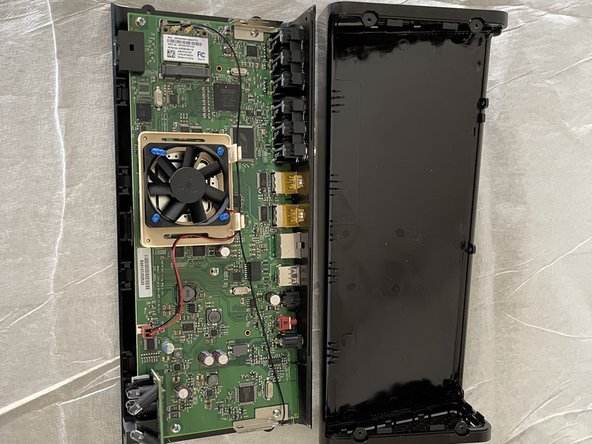
- Remove the entire top of the Slingbox and set it aside.
- Remove five 9.5 mm screws from the motherboard using a Phillips #1 screwdriver.
- Push down firmly on the screws as to not strip them when removing them as they may not spin easily at first.
- After removing the screws the two metal tabs on either side will be free. Make sure to not bend them or accidentally damage the wires while doing further dissasembly.
- Remove the motherboard from the lower case.