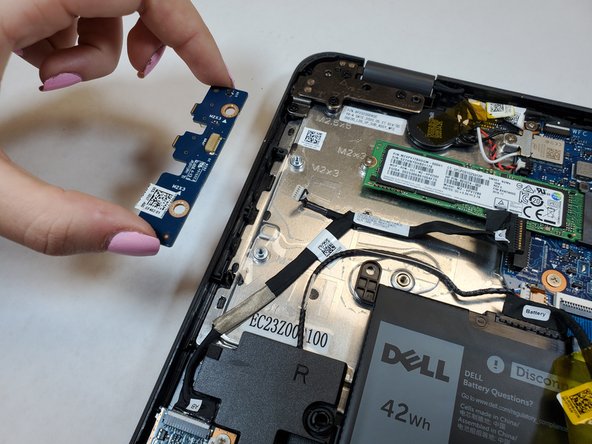
Dell Latitude 3190 Power Switch Board Replacement
ID: 146618
Description: Turning your laptop on is a very important step...
Steps:
- Use a Phillips #0 screwdriver to remove the seven 7 mm screws securing the back case.
- Using a plastic opening tool carefully separate the plastic base cover from the rest of the laptop.
- Lift the bottom cover from the laptop.
- Locate the battery.
- Disconnect the battery cable located on the top of the battery.
- Use the spudger and disconnect the battery cable.
- Pull the cable out of the way.
- Use a Phillips #0 screwdriver to remove the three 3 mm screws from the battery.
- Pull the black battery tap upwards to remove the battery.
- The battery adhesive is strong, do not be afraid to use force. You may need to use the spudger or opening tool as a wedge.
- Disconnect the power switch cable from the motherboard.
- Remove the two 3 mm screws that secure the power switch board on the computer.
- Lift the power switchboard away from the computer.