HP Spectre x360 13-4103dx Touch Pad Replacement
ID: 146670
Description: The touchpad on the HP Spectre 360x 13-4103dx...
Steps:
- Turn off your laptop before you start.
- Flip your laptop so the bottom is facing upwards.
- Use a Phillips #0 to remove the screws that hold the back panel down.
- Use an opening tool to remove the back panel.
- Be careful when applying force to the panel so the components and the panel are not damaged.
- Try to start at a corner or a place with the most room to slide under the panel.
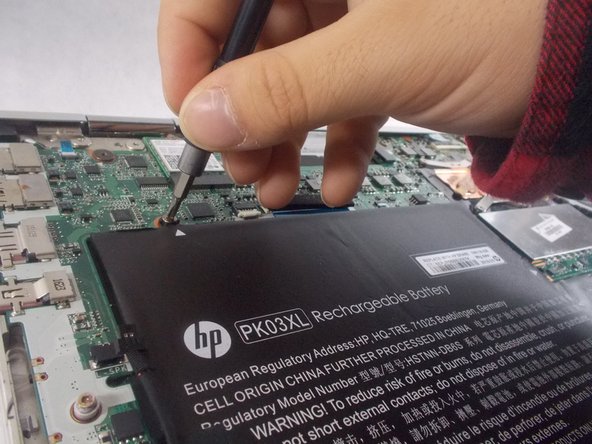
- Remove the four screws from the battery using a Phillips #0 screwdriver.
- Remove the battery from the computer.
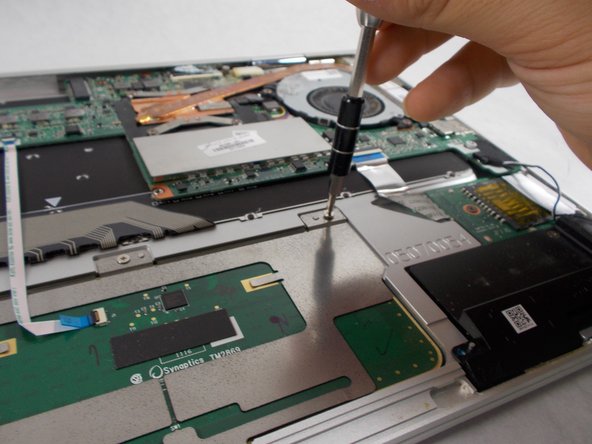
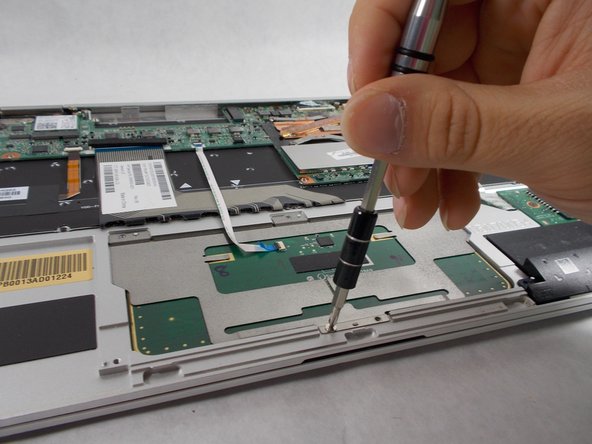
- Remove the five screws from the trackpad using a Phillips #0 screwdriver.
- Gently unplug the ribbon cable that is attached to the computer.
- Remove the touchpad from the computer.