ASUS Q405U Back Cover Replacement
ID: 146690
Description: Prerequisite only.
Steps:
- Using the Phillips #1 screwdriver, remove eleven (11) 1.5 mm screws from the back cover.
- Pull the back cover off of your laptop. Use a spudger to help pry it off of the device.
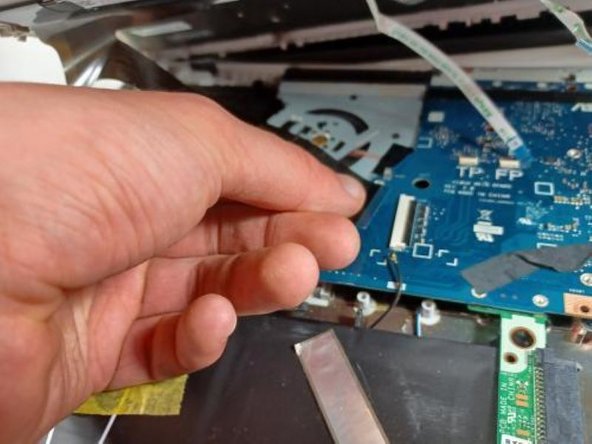
- Disconnect the 4 wires attached from the keyboard side of laptop to the screen side of laptop by pulling them out of their sockets on one end (as shown in picture).
- OPTIONAL: Additional pictures to demonstrate moving keyboard out of the way without detaching connections.
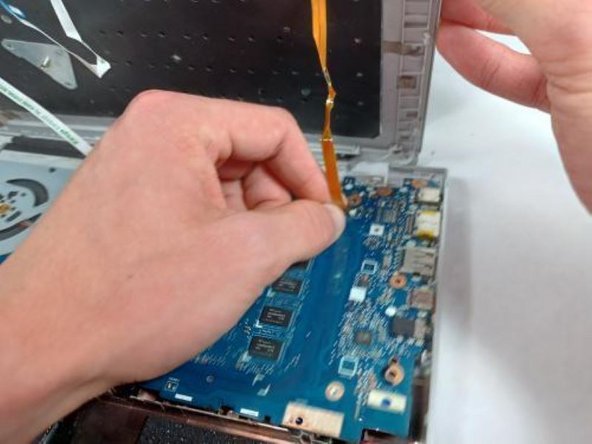
- Lift the ribbon cable with gentle pressure, pry the ribbon away from the motherboard on the right side, then the left, then the center, prying away only a little triangle of tape at a time, applying gentle upward pressure to the tape while you loosen and pry.
- Once you have enough slack in the three ribbons that hold the keyboard down too tightly, lift the front of the keyboard and twist counterclockwise to produce enough room to reach the screws securing the hard drive with your screwdriver.