Lenovo 300e Chromebook USB and Charging Ports Replacement
ID: 146753
Description: The USB ports and Charging port are soldered...
Steps:
- Remove eleven 5 mm screws from the back of the computer using a Phillips #2 screwdriver.
- Use a spudger along the edge of the Chromebook to gently remove the back cover of the laptop.
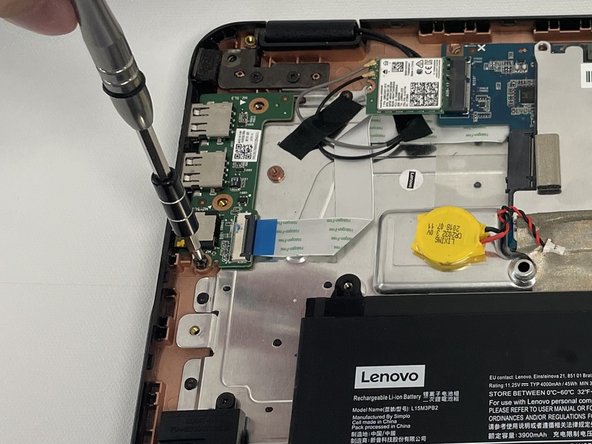
- Remove three 5 mm screws from the USB board using a Phillips #2 screwdriver.
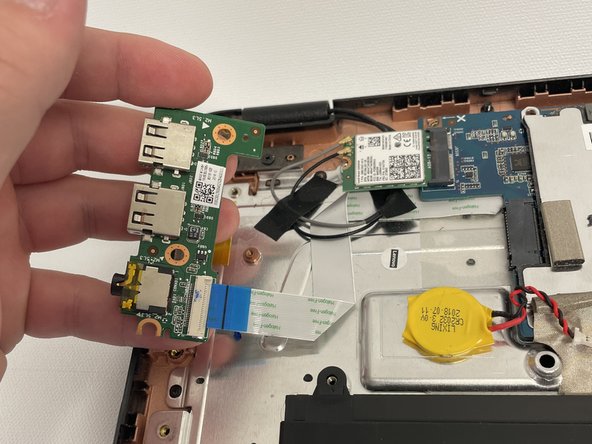
- Detach the white and blue ribbon cable from its cable connector on the USB board.
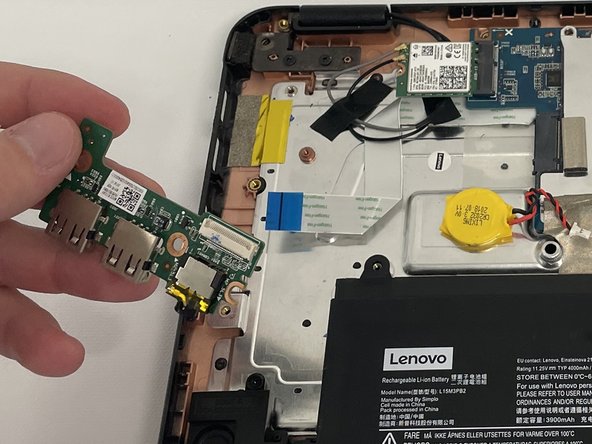
- Remove the USB board from the laptop.