WMF Kult Pro rotary switch repair
ID: 146842
Description: To repair the stuck rotary switch of the WMF...
Steps:
- Carefully block the fan with a thin screwdriver. It is best to do this so that the screwdriver also finds resistance somewhere behind the fan.
- Place the glass vessel, cover the blade with a cloth and turn it clockwise until the thread starts to loosen. Remove the container and unscrew the driver by hand.
- Now loosen the three screws on the bottom of the mixer (marked in red) using a tensioner bit and a thin extension. Alternatively, you can also work a slotted screwdriver so that it fits on the screw.
- Lift the upper part of the housing. Remove the power supply connector (marked red) with pliers. Also, disconnect the connection to the control board (marked blue). Now you can lift off the housing.
- Now loosen the four screws of the control board and lift it upwards out of its position.
- The transparent plastic part above the LEDs (marked green) will probably come loose. It is best to take a close look at the construction, this may save some guesswork when reassembling.
- To fix the problem with the rotary switch, the yellow marked white lugs must be flattened with a knife or file.
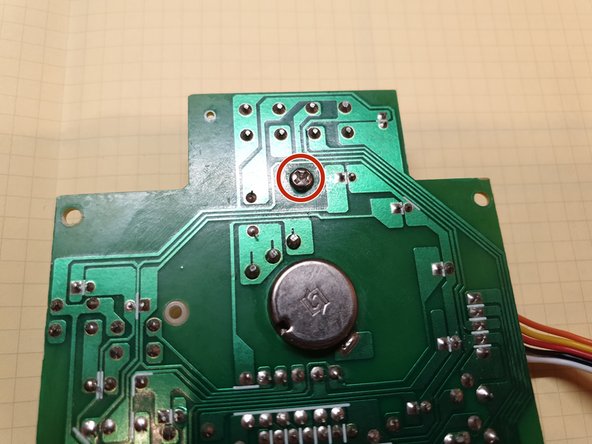
- To do this, it is best to detach the entire inner part of the rotary switch from the circuit board. To do this, remove the two screws marked in red.