Dell Latitude 9410 2-in-1 Fan Replacement
ID: 149050
Description: If your Dell Latitude 9410 2-in-1 is...
Steps:
- Ensure that the laptop is unplugged and powered off before beginning.
- Place the laptop upside down on a flat surface.
- Use a Phillips #00 screwdriver to loosen the ten captive screws.
- The screws are permanently fastened to the base panel; do not attempt to remove them.
- Carefully lift off the back panel.
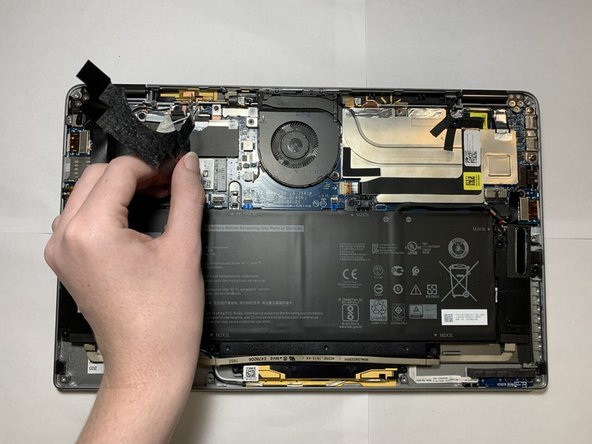
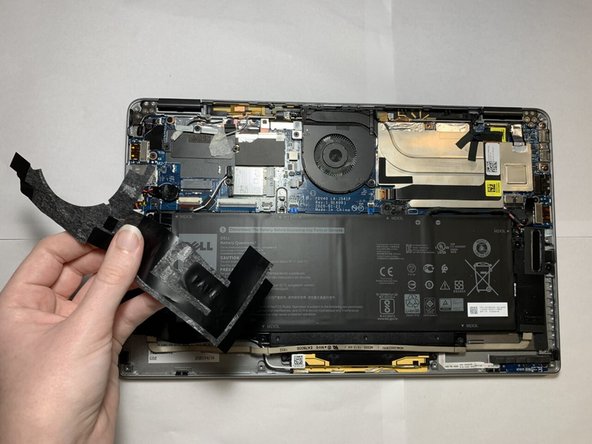
- Carefully peel back and remove the black tape around the top left corner of the motherboard.
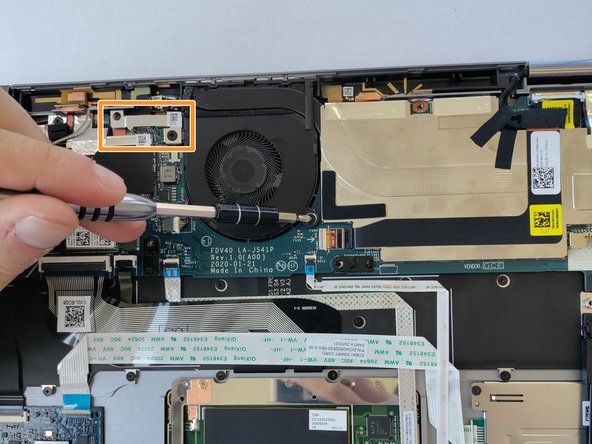
- Use a Philips #00 screwdriver to remove the two 2 mm screws.
- After the screws are removed, lift off the silver bracket, toward the top left of the fan.
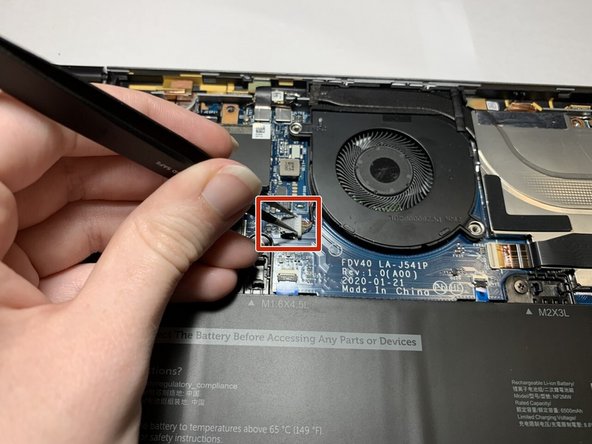
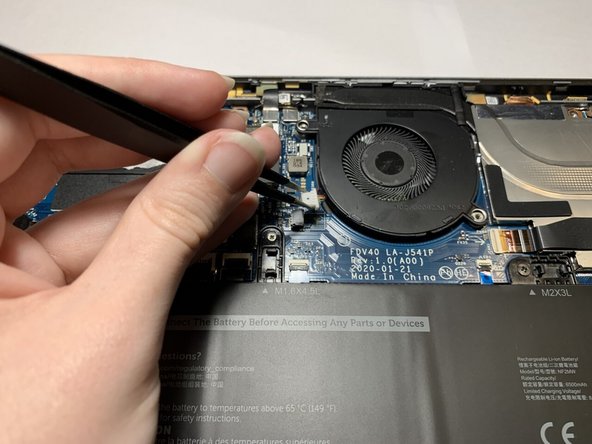
- Grip both sides of the fan connector plug with tweezers, and pull directly backwards, toward the cables, until the plug disconnects.
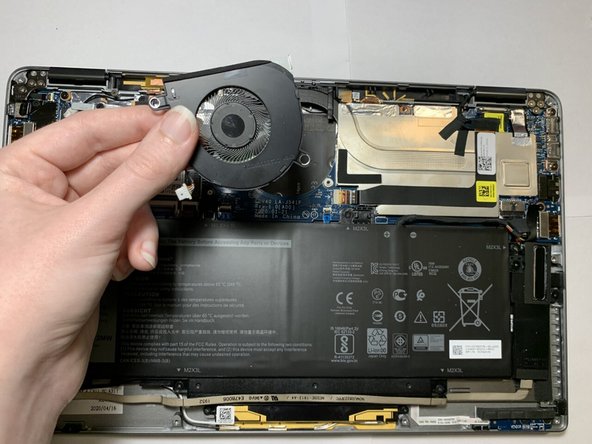
- Lift the fan up and out.