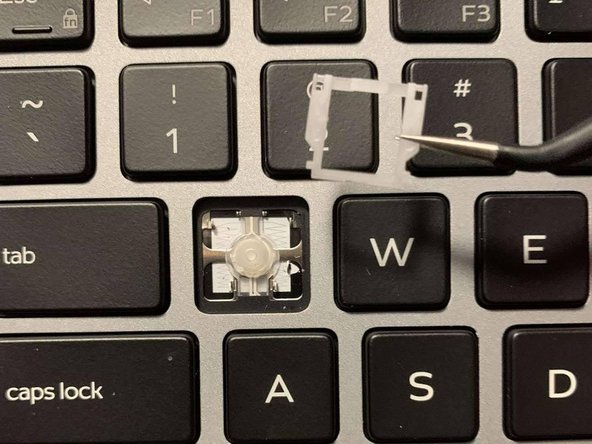
Dell Latitude 9410 2-in-1 Key Replacement
ID: 149052
Description: Use this guide to replace missing or broken...
Steps:
- Gently insert the edge of the opening tool under the affected key.
- Lift the key until it reaches a 45 degree angle and releases from the keyboard.
- Use tweezers to lift and remove the key cap.
- Use tweezers to remove the plastic retainer clip beneath the key.
- Use tweezers to remove the square plastic bracket.