Microsoft Surface Headphones Speaker Replacement
ID: 149108
Description: If your Microsoft Surface Headphones produce...
Steps:
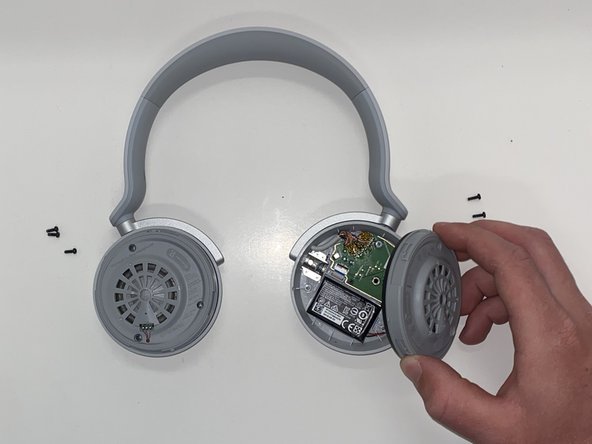
- Firmly grasp the ear cushions, and rotate them counterclockwise about 45 degrees, or until you hear a "click."
- Be careful not to use excessive force during rotation.
- Lift the ear cushions off the speaker housings.
- Remove the six 2.6mm screws with a Phillips #00 screwdriver, and gently lift the speaker housings away.
- If only one of the speakers is malfunctioning, only remove the screws on the affected side, and leave the functional speaker intact.
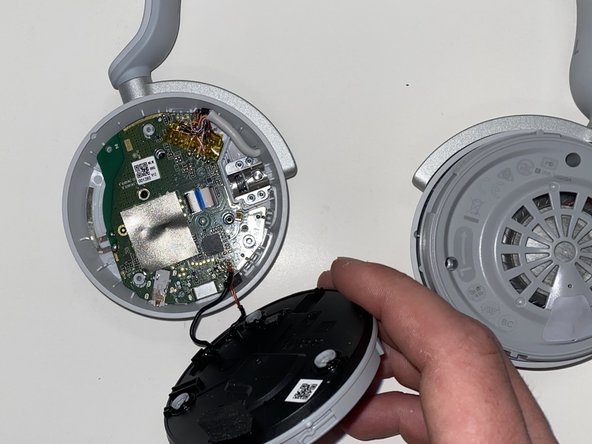
- Gently pry the speaker housing away from the chassis with a spudger.
- Desolder the speaker's motherboard connections.
- Desoldering and soldering are delicate procedures, and there is a potential for device damage.