Furbo Dog Camera USB Power Jack Replacement
ID: 149150
Description: If your Furbo Dog Camera does not turn on, or...
Steps:
- Remove the lid from the top of your Furbo Dog Camera.
- Rotate your Furbo so that the bottom faces you.
- Remove the rubber caps to reveal the four screws on the bottom of the Furbo.
- Use a 2.5 mm Flathead screwdriver to remove the four 5 mm screws from the bottom of the Furbo.
- Use a 2.5 mm Flathead screwdriver to remove the single 5 mm screw under the silver sticker.
- Rotate your Furbo so that the side is facing towards you.
- Use an opening tool to separate the two plastic coverings.
- Once you have separated the two plastic coverings, remove one side by pulling on it and carefully separating it from the adhesive.
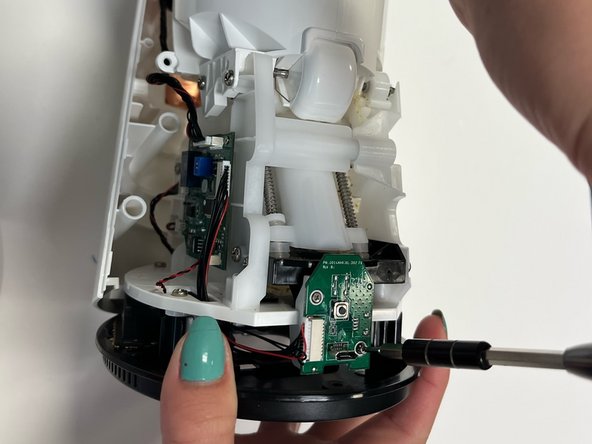
- Use a Phillips #000 screwdriver to remove the two 5 mm screws from the USB power jack.
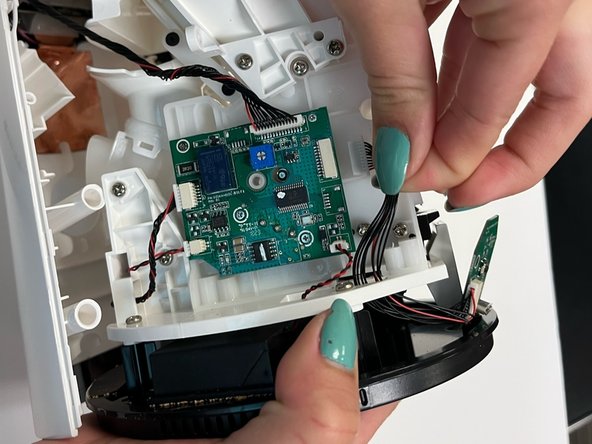
- Once you have removed the screws, gently pull the bundled cable connector free from the motherboard.
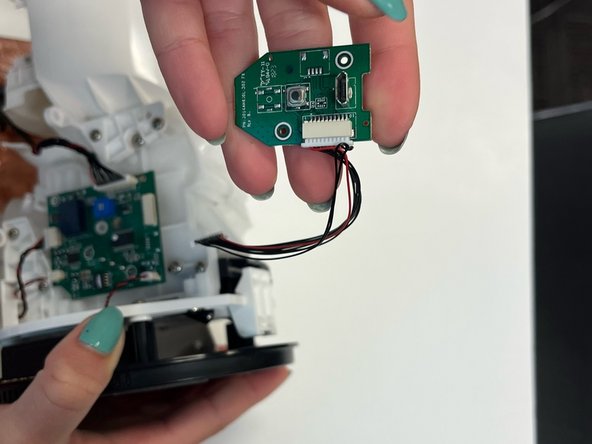
- The USB power jack PCB can now be removed from your Furbo and replaced.