Hitachi CP-X440 Air Filter Replacement
ID: 149163
Description: The air filter may need to be replaced more...
Steps:
- Begin with turning the projector on its side so the bottom of the device is clearly visible.
- In the bottom left hand corner of the device there will be a vent.
- At the bottom of the vent, there will be two pull tabs. Remove the vent by gently pushing up on the tabs.
- Once the tabs are pushed, the vent will pop out and will be able to easily be taken off the device.
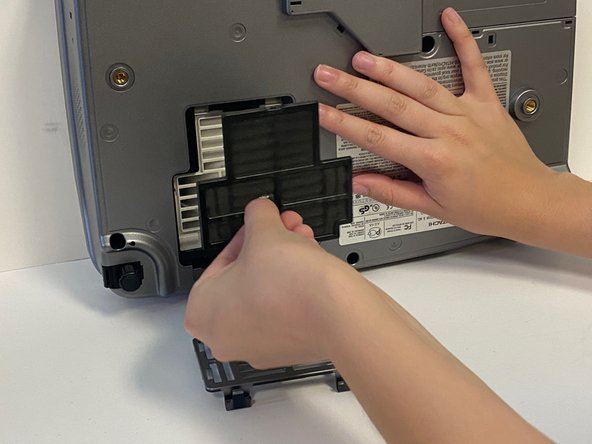
- Once the vent is removed, you will see the black air filter.
- To remove the air filter, gently grab the center handle and pull.
- The air filter can be discarded into a waste basket.