Skullcandy Crusher Wireless Earpiece Speaker Replacement
ID: 149289
Description: Use this guide to replace the earpiece speaker...
Steps:
- Take your headphones and hold them upside down for better control with your hands.
- Grab the ear cushion firmly between your thumb and forefinger with a tight grip.
- Pull the ear cushion away from the plastic, covering the speaker, by sliding the ear cushion down to release it.
- Continue pulling it away from the edges of the plastic covering until the cushion is fully removed.
- Remove three 12 mm Phillips #1 screws located underneath the left ear cushion.
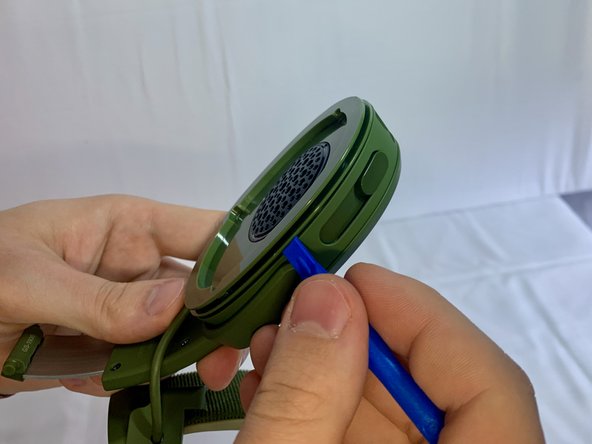
- Slide a plastic opening tool between the plastic frame and speaker assembly of the headphones.
- Gently pry the speaker away from the frame of the headphones.
- Separate the headphone speaker assembly from headphone speaker frame.
- Inspect the USB port and ensure that it is connected correctly. If necessary, desolder the USB port and replace it with the new port.
- For more information on soldering, please, use this Solder and Desolder Connections guide.
- Remove four 4 mm Phillips #1 screws that connect the motherboard with the plastic frame.
- Remove three 4 mm Phillips #1 screws that connect the bass speaker to the plastic frame.
- Move the motherboard away from the plastic frame.
- Desolder two cables to replace the speaker and bass component.
- For more information on soldering, please, use this Solder and Desolder Connections guide.