How to Open the GuliKit KingKong 2 Pro
ID: 151616
Description: Use this guide to open the GuliKit KingKong 2...
Steps:
- Use a Phillips #00 screwdriver to remove the four 11 mm-long screws securing the back cover.
- The back cover of the GuliKit Kingkong 2 Pro is held in place by plastic clips.
- Insert an opening pick into the gap between the front assembly and the back cover at the bottom edge of the controller.
- Tilt your opening pick downwards to widen the gap.
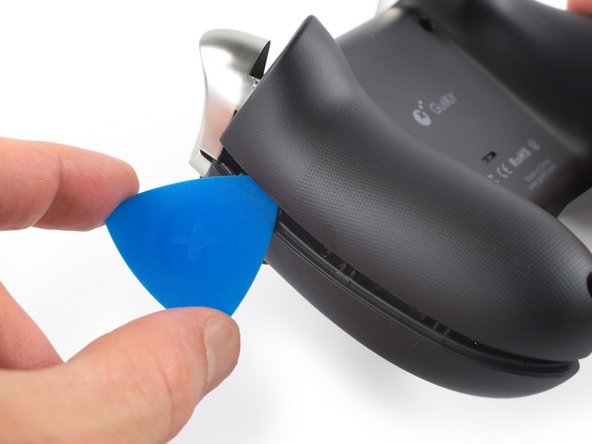
- Insert an opening pick into the gap between the front assembly and the back cover at the outside of the right controller handle.
- Slide the opening pick along the gap to separate the front assembly from the back cover.
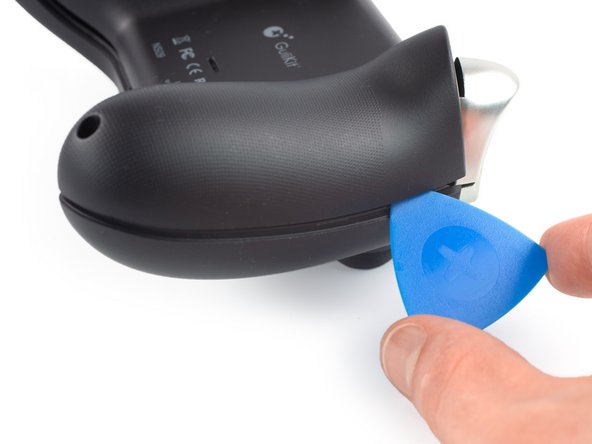
- Insert an opening pick into the gap between the front assembly and the back cover at the outside of the left controller handle.
- Slide the opening pick along the gap to separate the front assembly from the back cover.
- Separate the back cover from the front assembly and remove it.