Samsung Galaxy S21 Ultra NFC Antenna & Charging Coil Replacement
ID: 151740
Description: This is a prerequisite guide! This guide is...
Steps:
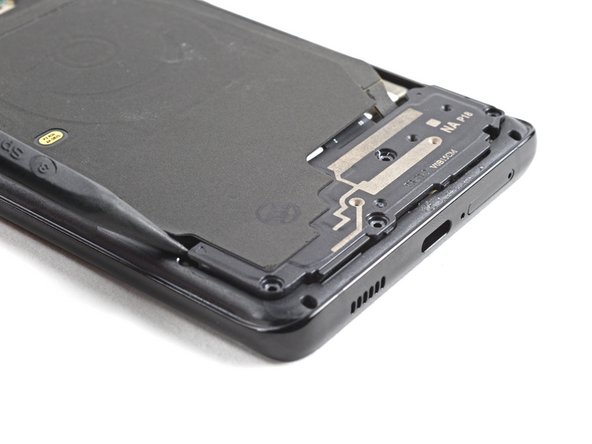
- Insert an opening pick underneath the left bottom end of the NFC antenna and charging coil assembly.
- Carefully slide the opening pick along the bottom left edge of the assembly to separate it from the battery.
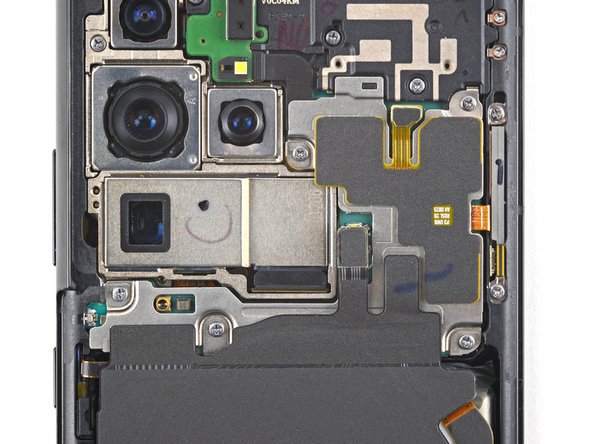
- Use a spudger to disconnect the charging coil by prying the connector straight up from its socket.
- Use a spudger to disconnect the NFC antenna by prying the connector straight up from its socket.
- Use a Phillips screwdriver to remove the five 3.9 mm-long screws securing the NFC antenna and charging coil assembly.
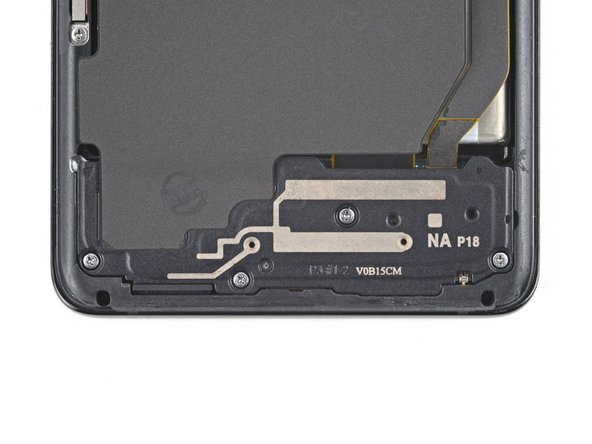
- Use a Phillips screwdriver to remove the four 3.9 mm-long screws securing the loudspeaker assembly.
- Insert the tip of a spudger between the frame and the upper-left notch in the loudspeaker.
- Pry up with the spudger to release the loudspeaker from its plastic clips.
- Use a pair of tweezers or your fingers to carefully remove the NFC antenna, charging coil, and loudspeaker assembly.
- Set the assembly aside. You'll reuse it during reassembly.