Interconnect Cables
ID: 151742
Description: Use this guide to replace the interconnect...
Steps:
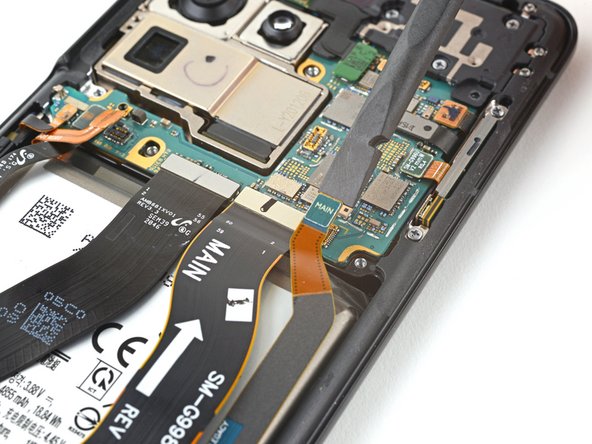
- Use a spudger to pry up and disconnect the primary and secondary interconnect cables' press connectors on the motherboard.
- Use a spudger to disconnect the secondary interconnect cable from the daughterboard by prying its bottom connector straight up from its socket.
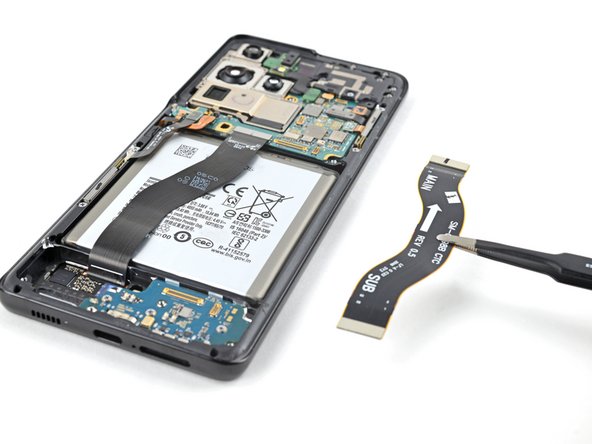
- Use your fingers or a pair of tweezers to carefully remove the secondary interconnect cable.
- Set the cable aside. You'll reuse it during reassembly.
- Use a spudger to disconnect the primary interconnect cable from the daughterboard by prying its bottom connector straight up from its socket.
- Use your fingers or a pair of tweezers to carefully remove the primary interconnect cable.
- Set the cable aside. You'll reuse it during reassembly.