Battery Blocking
ID: 151805
Description: This is a prerequisite-only guide! This guide...
Steps:
- Use a Phillips screwdriver to remove the five screws securing the lower cable shield to the logic board:
- Two 2.0 mm screws
- Three 1.3 mm screws
- Use tweezers or your fingers to grab and remove the lower cable shield.
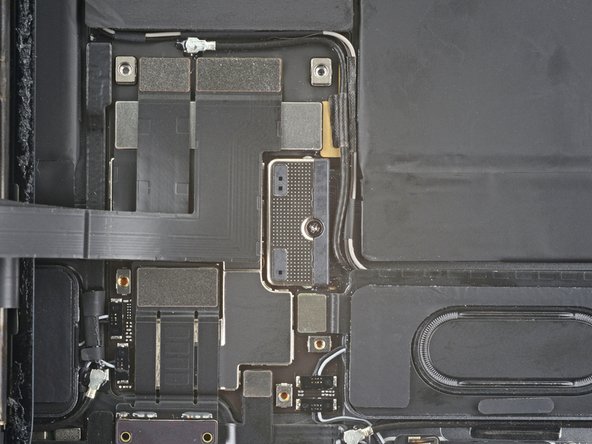
- Use a Phillips screwdriver to remove the 1.8 mm screw securing the battery connector to the logic board.
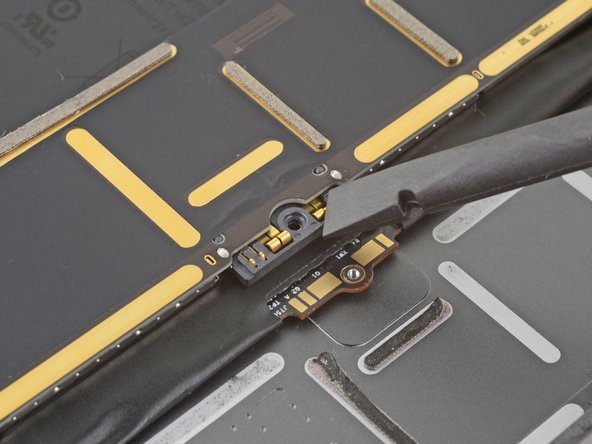
- These photos show what the battery connector looks like underneath the logic board. Use these photos as a reference while you safely disconnect the battery.
- Notice that the battery connector has cantilever springs on the logic board that press against the battery contact pads. Since both the logic board and battery are glued down, you'll need to slide something thin and flexible between the contact points to disconnect the battery.
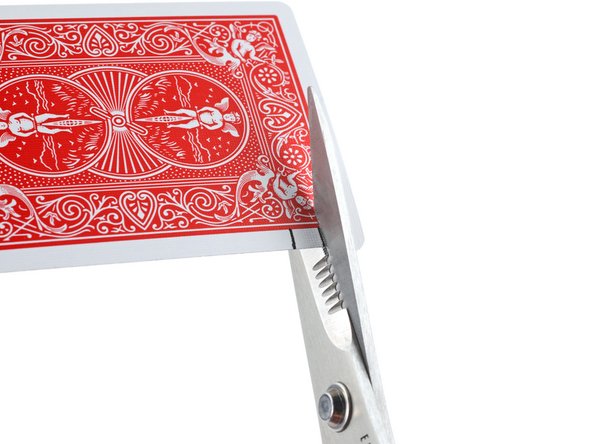
- Cut two 6 mm wide strips from a playing card or cardstock to use as a battery blocker.
- The strips should be about 4 cm long so you can easily grip them.
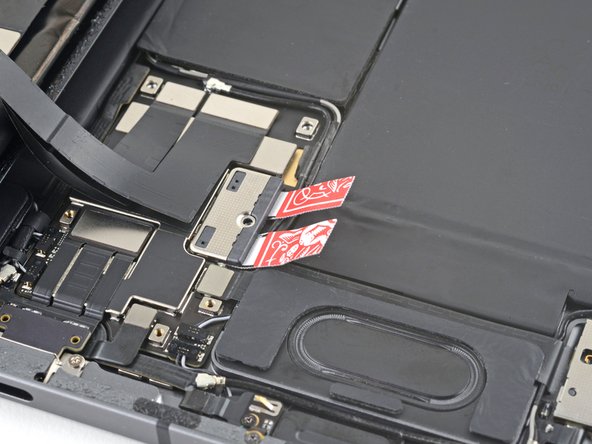
- Insert the card strips on each side of the battery connector until they stop.