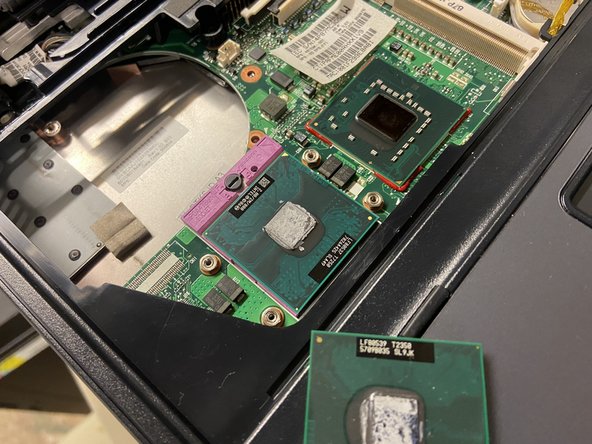
HP Compaq 6510b CPU Replacement
ID: 151907
Description:
Steps:
- Before starting, shut down the PC and disconnect sources of power.
- Slide the battery disconnect hooks to eject the battery.
- Unscrew the three screws shown.
- Open the RAM door to expose the next screw.
- Unscrew the final keyboard screw.
- Use a flathead or spudger to slide the clips toward the trackpad.
- Put the screen in a 180 degree position.
- Gently pull the keyboard up at the display side.
- Slide the keyboard to the display.
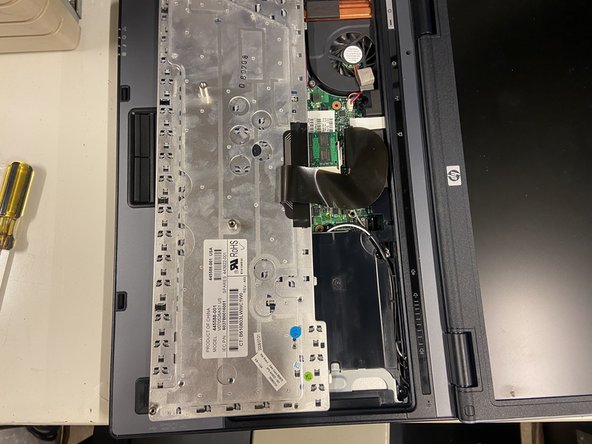
- Flip the keyboard so the keys are touching the trackpad.
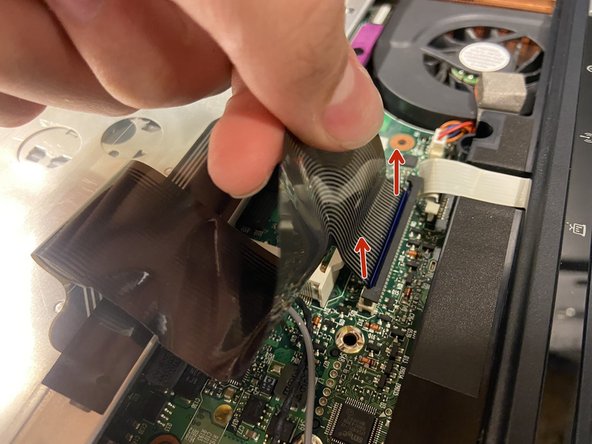
- Fold the ribbon cable back so you can access the connection.
- Pull the black part of the connector up to unlock the cable.
- Pull the ribbon cable up to disconnect it.
- Disconnect the ribbon cable that connects to the top panel and remove the second RAM stick.
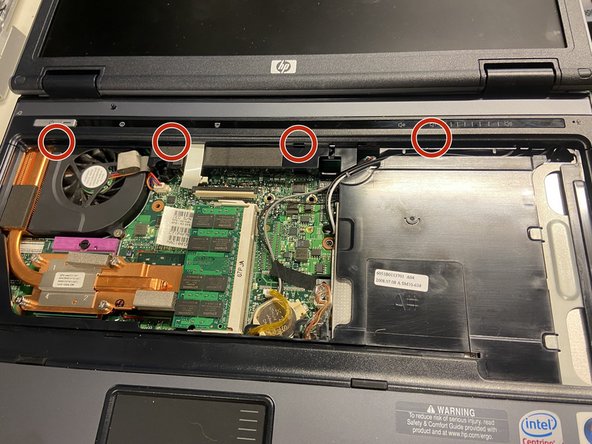
- Insert a flat head screwdriver into the holes circled and rotate 90 degrees to pop the plastic clips.
- Disconnect the fan cable and unscrew the fan screws.
- Lift the fan at the CPU side and slide it toward the CPU to free it.
- Unscrew the cooler screws in the reverse order - 4 3 2 1.
- Pry with a flathead to unstick the thermal pad on the chipset. (It can hold on pretty tight)
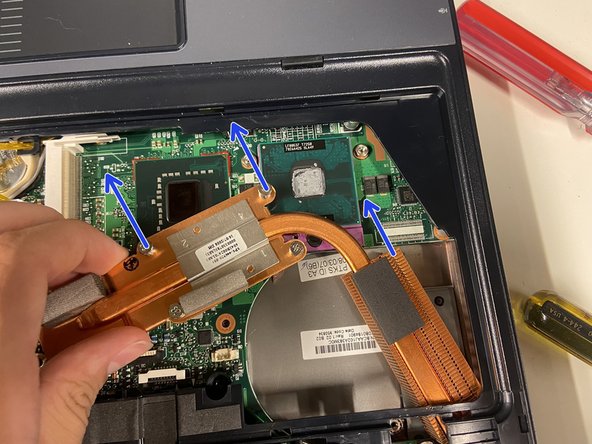
- Pull the cooler up a bit on the CPU side, then rotate it as demonstrated in the second photo.
- When the chipset pad has roughly reached the keyboard connector, pull it out in the direction of the coin cell battery.
- Use the flathead screwdriver to rotate the lock to the unlocked position.
- Grab the CPU as shown. This way the pins are not likely to get bent.
- Place the new CPU in the socket.
- Make sure the "star" on the CPU is aligned with the socket.