HP Envy j-100 RAM Replacement
ID: 151912
Description:
Steps:
- Slide the battery clip and remove the battery.
- Unscrew the single access door screw.
- Pop out the access door to reveal the RAM, wifi card, and hard disks.
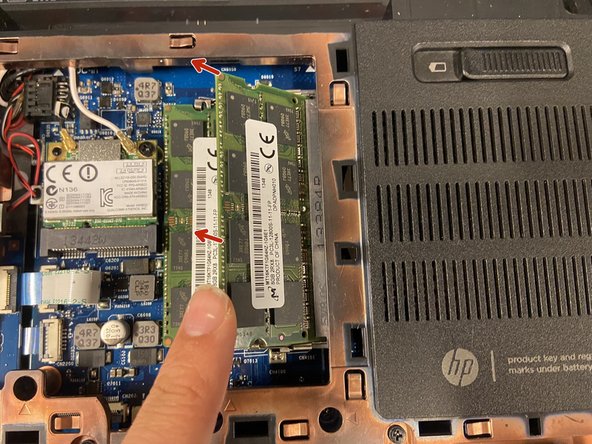
- Push the 2 clips out gently to pop the SODIMM up.
- Pull the SODIMM out of the socket.
- Insert as shown in the diagram.
- Make sure the SODIMM is fully inserted before laying it flat.
- Make sure its fully inserted, or try a different SODIMM
- Make sure the ram is DDR3L