Xtreme Gaming XG-700 Internal Switch Replacement
ID: 151938
Description: This guide will show you how to disassemble and...
Steps:
- Flip the mouse over and peel off the two feet at the bottom of the mouse.
- Using a Phillips #000 screwdriver, remove the two 5.6 mm screws.
- Carefully separate the base of the mouse from the top case as there are ribbon connectors holding the two pieces together.
- Don't yank or pull the two pieces apart or you will rip the cables.
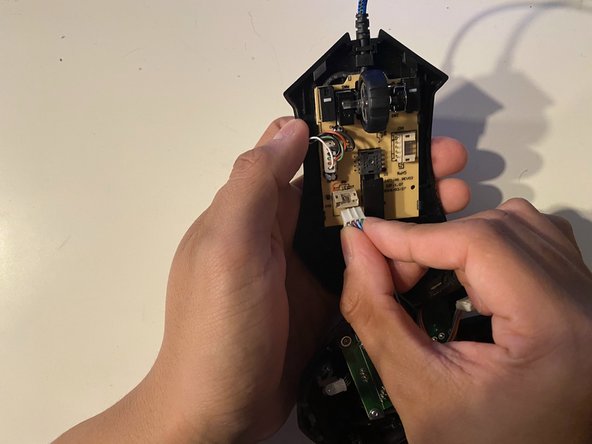
- Carefully remove the two cables from their connection point.
- The top half of the case can be set aside.
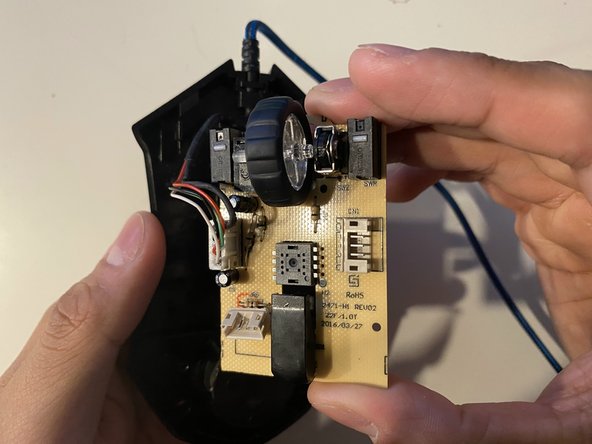
- Using a small plastic spudger, release the four clips from each corner of the board.
- Gently remove the board out of the case.
- Don't yank or pull the board off the case. There is one cable connecting the board to the case.
- Carefully disconnect the ribbon cable from the board.
- Set aside the case.
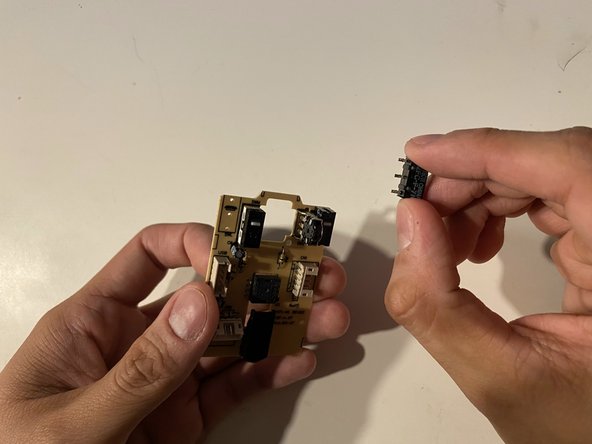
- Flip the motherboard over, and using a soldering iron, desolder the three switch prongs on each side of the switch.
- Remove the broken switch.