How to Replace the Back Cover Adhesive (Back Cover First)
ID: 152860
Description: Use this guide to replace the back cover...
Steps:
- If you're re-using your back cover, remove any adhesive chunks with a pair of tweezers or your fingers. Apply heat and isopropyl alcohol (90% or greater) if you're having trouble removing the adhesive.
- Repeat the same procedure for any remaining adhesive on the frame.
- Before removing any liners, position the adhesive strip with the clear liner facing down over the back cover to find the proper orientation.
- You can use the rear camera cutout as a reference point.
- If the adhesive matches the frame instead of the back cover, follow this frame-first adhesive guide.
- Peel the clear liner off of the adhesive strip to expose the adhesive.
- Be very careful with this step, as misaligning the adhesive can cause it to peek out of the phone during reassembly, leading to an improper seal.
- The adhesive is very sticky! Be careful with alignment, as you won't be able to reposition the adhesive once it sticks.
- Carefully align the sticky side of the adhesive over the edges of the back cover.
- You can use the corners of the back cover to help line up the edges.
- Press down on the perimeter of the adhesive strip to bond it to the back cover.
- Peel off the colored liner from the adhesive strip to expose the opposite side of the adhesive.
- This step shows how to install a replacement microphone gasket. If your kit didn't come with this gasket, skip this step.
- Use tweezers to remove the old microphone gasket. It may be attached to the back cover or the phone.
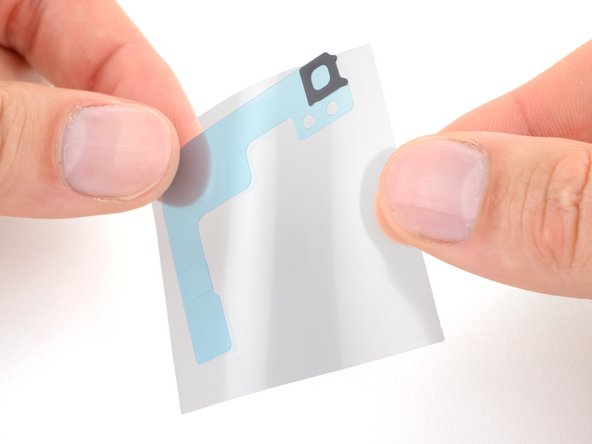
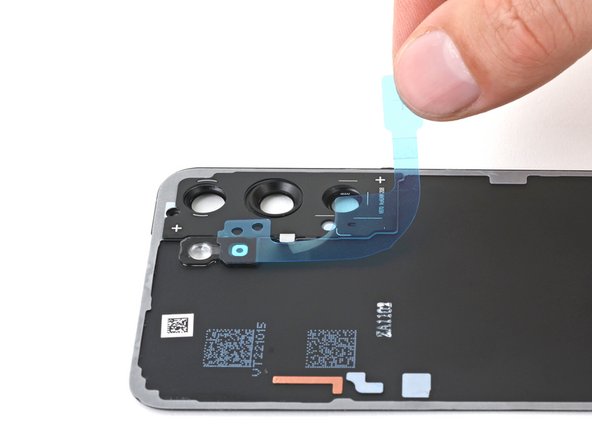
- Remove the clear liner from the large L-shaped adhesive piece.
- Place the square piece of adhesive over the back cover's microphone cutout under the flash unit, with the blue liner tab facing right.
- Remove the blue liner.
- This is a good point to power on your phone and test all functions before sealing it up. Be sure to power your phone back down completely before you continue working.
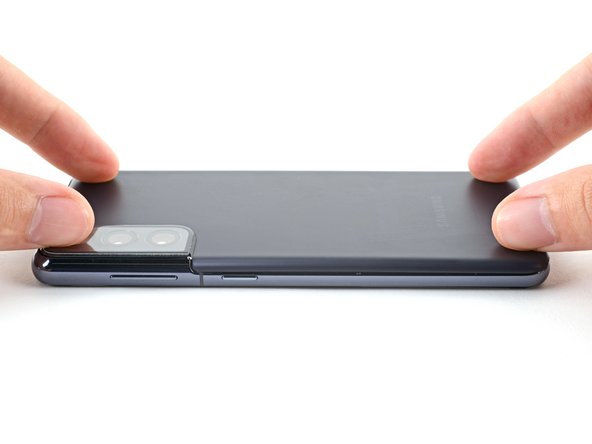
- Align the back cover with its original position on the frame.
- Press down on the perimeter of the adhesive to bond the adhesive to the frame.
- To ensure a good seal, apply constant pressure to the back cover with a flat, heavy object. A hefty book works well.
- If a substantial gap remains, try squeezing the gap with your fingers but don't force it. Pry the back cover off and check for any surface irregularities, such as unseated connectors or loose and jutting screws.