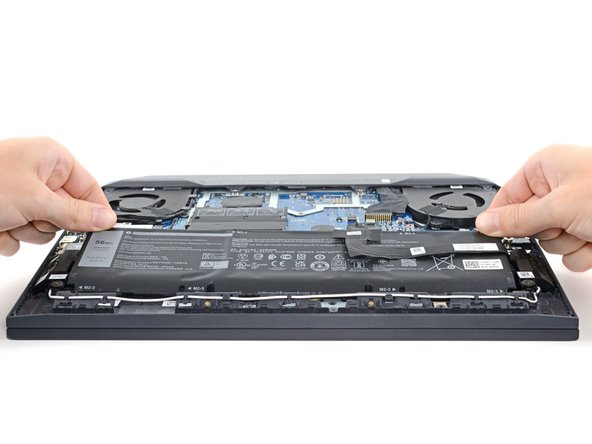
Dell G15-5510 Gaming Battery Replacement
ID: 154762
Description: Use this guide to replace the battery in your...
Steps:
- For your safety, discharge the battery below 25% and power down your device before disassembly.
- Use a Phillips #1 screwdriver to remove the four screws securing the back cover.
- Two 8 mm screws
- Two 5.8 mm screws
- Loosen the four captive screws.
- Insert an opening pick between the bottom-left corner of the back cover and the chassis.
- Pry upward to release clips holding the cover in place.
- Listen for a loud click to indicate a clip being released.
- Insert your opening pick again between the bottom-right corner of the back cover and the chassis.
- Pry up to release the remaining clips securing the back cover.
- Grip the front of the back cover and lift it away from the laptop.
- Pull the back cover towards you to disconnect the clips along the top of the back cover.
- Remove the back cover.
- Use the flat end of a spudger to push the battery connector's square tab away from the socket and disconnect it.
- Use a Phillips screwdriver to remove the four 4.1 mm-long screws securing the battery.
- Pull the battery towards the top of the laptop to separate it from its plastic shell.
- Remove the battery.