ASUS TUF Gaming F15 FX506L Battery Replacement
ID: 154764
Description: Follow this guide to replace the battery in...
Steps:
- For your safety, discharge the battery below 25% and power down your device before disassembly.
- Use a Phillips screwdriver to remove the 10 screws securing the back cover:
- Seven 11.6 mm screws
- Two 14.6 mm screws
- One 6 mm screw
- Use a Phillips screwdriver to loosen the captive screw.
- Loosening this captive screw will pop up and separate the bottom-right corner of the back cover from the chassis.
- During reassembly, tighten the captive screw before the rest of the screws.
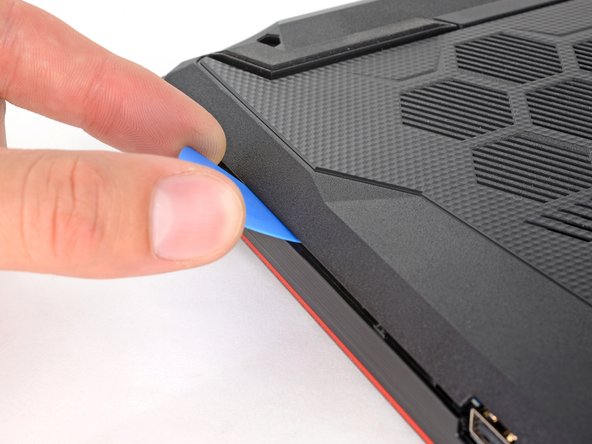
- Insert an opening pick between the bottom-right corner of the back cover and the chassis, near the captive screw.
- Pry up to release the clips securing the back cover.
- You'll hear a click whenever a clip is released.
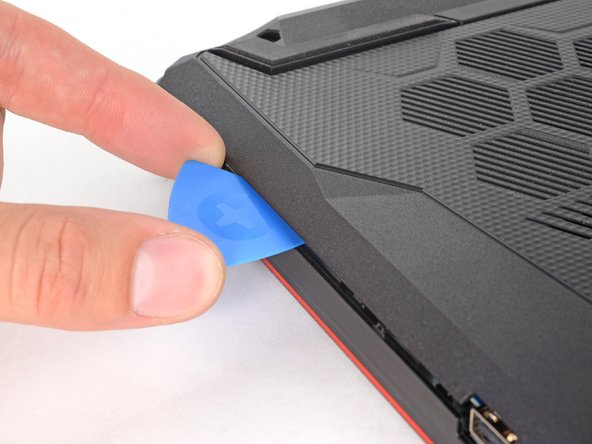
- Insert your opening pick again between the top-left corner of the back cover and the chassis.
- Insert the pick at a steep angle. Pry up to release the remaining clips securing the back cover.
- Lift the back cover off the chassis and remove it.
- If your back cover is stuck to the chassis, use an opening pick to release the clips around the back cover's perimeter.
- Use the point of a spudger to push the sides of the battery connector out of its socket.
- Push on alternating sides to 'walk' the connector out.
- Use your Phillips screwdriver to remove the two 6.2 mm-long screws securing the battery.
- Remove the battery from its recess.