Dell XPS 13 9305 Battery Replacement
ID: 154771
Description: Use this guide to replace the battery in your...
Steps:
- For your safety, discharge the battery below 25% and power down your device before disassembly.
- Use a Torx T5 screwdriver to remove the eight 3.2 mm-long screws.
- At each corner, insert an opening pick between the back cover and the device body.
- Pry upward to release the retaining clips. Listen for a loud click when each clip releases.
- The edges of the cover are very sharp. Use caution when handling this panel.
- Lift the front edge of the cover away from you.
- Some clips may release during this step. If the cover is stuck, move it side to side to help release additional clips.
- Remove the back cover from the laptop.
- Push the battery connector out of its socket using the pointed end of a spudger.
- Push the small tabs on the side of the connector to avoid damaging the cables.
- Use a Phillips screwdriver to remove the five screws securing the battery:
- Four 2.4 mm-long screws
- One 4.4 mm-long screw
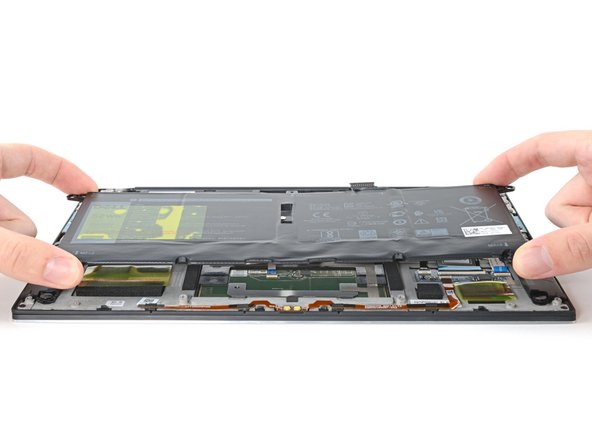
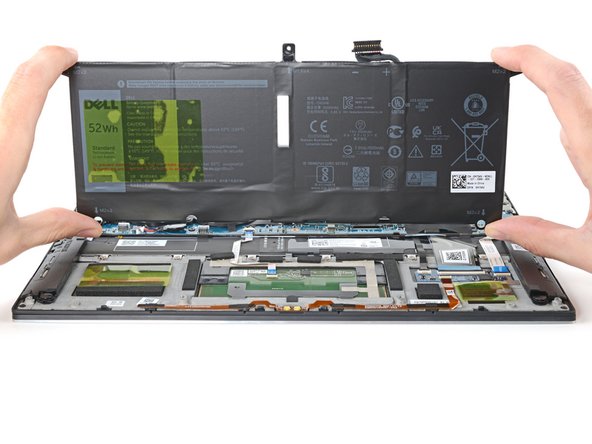
- Lift the battery straight out of its recess and remove it.