HP EliteBook x360 830 G6 Battery Replacement
ID: 154795
Description: The official guide has been updated. For the...
Steps:
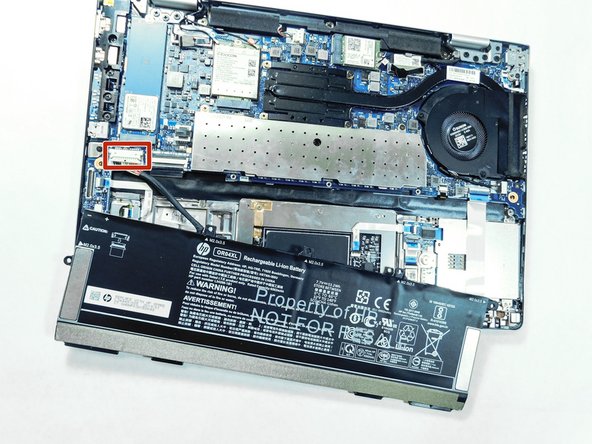
- Use the Phillips #0 screwdriver to remove the five 3 mm screws holding the battery in place.
- Disconnect the battery cable from the motherboard by carefully pulling on the black wire at the point closest to the white tab.
- Remove the battery from the laptop.