HP Chromebook 14-q010nr Battery Replacement
ID: 154902
Description: This guide is created for users that struggle...
Steps:
- Begin by turning the Chromebook onto its back.
- Remove the 15 screws with a Phillips #0 screwdriver.
- Four screws will be located underneath the device's rubber foot pads.
- Remove the keyboard from the base plate with an opening pick to pry it open from both sides of the keyboard.
- Beginning from the corners closest to the computer screen may result in easier disconnection.
- Use a Phillips #0 screwdriver to remove the seven screws securing the battery.
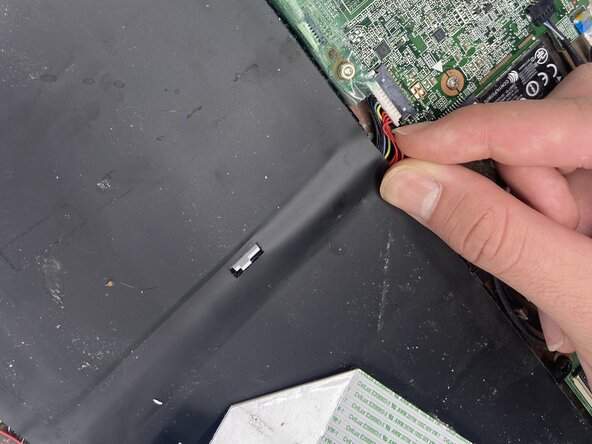
- Gently disconnect the battery's motherboard connection by pinching the white attachment and pulling the plug directly out of the port.
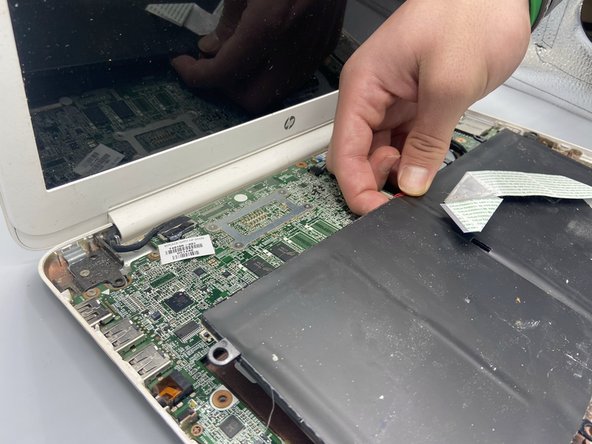
- Before removing the battery, gently lift the white ribbon cable taped to the battery.
- Gently pull up from the back of the battery to remove it.