Xiaomi Redmi Note 10S Back Cover Replacement
ID: 154977
Description: Use this guide to remove or replace a damaged...
Steps:
- Prepare an iOpener and apply it to the back cover for at least two minutes to loosen the adhesive underneath.
- A hair dryer, heat gun, or hot plate may also be used, but be careful not to overheat the phone—the display and internal battery are both susceptible to heat damage.
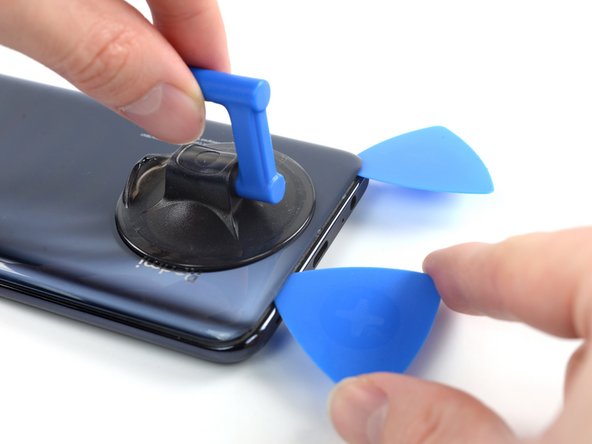
- Secure a suction handle to the bottom edge of the back cover, as close to the edge as possible.
- Lift the back cover with the suction handle to create a small gap between the back cover and the frame.
- If you have trouble creating a gap, apply more heat to further soften the adhesive. Follow the iOpener instructions to avoid overheating.
- Insert an opening pick into the gap you created.
- Slide the opening pick to the bottom right corner to slice the adhesive.
- Leave the opening pick in place to prevent the adhesive from resealing.
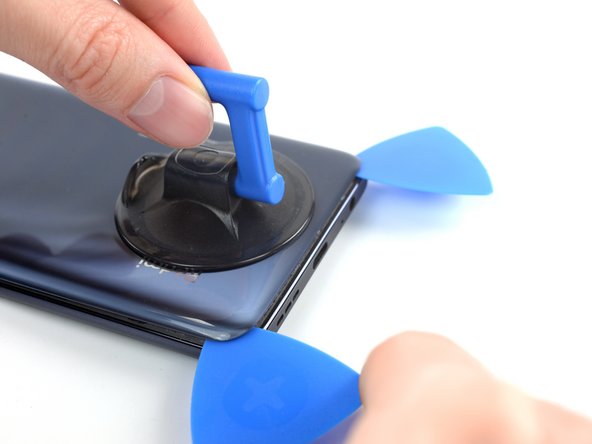
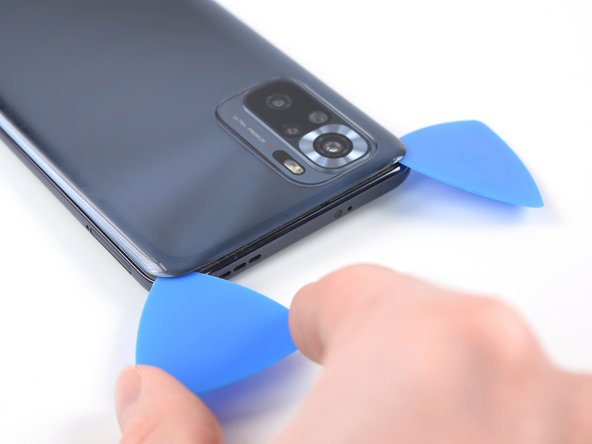
- Insert a second opening pick at the bottom edge of your phone.
- Slide the opening pick to the bottom left corner to slice the adhesive.
- Leave the opening picks in place to prevent the adhesive from resealing.
- You can remove the suction cup now.
- If the adhesive becomes hard to cut, it has most likely cooled down. Use your iOpener to reheat it.
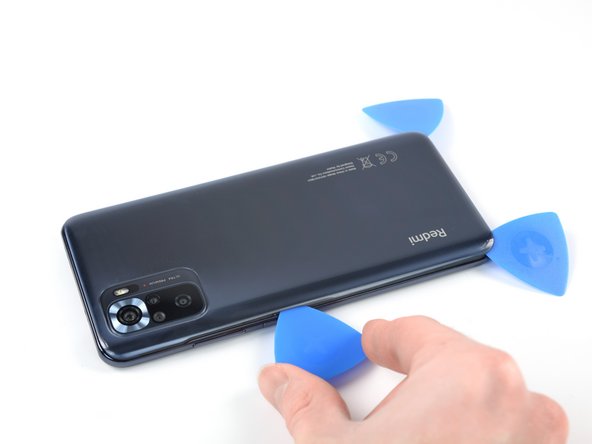
- Insert a third opening pick at the bottom left corner of your phone.
- Slide the opening pick along the left edge of your phone to slice the adhesive.
- Leave the opening pick in the top left corner to prevent the adhesive from resealing.
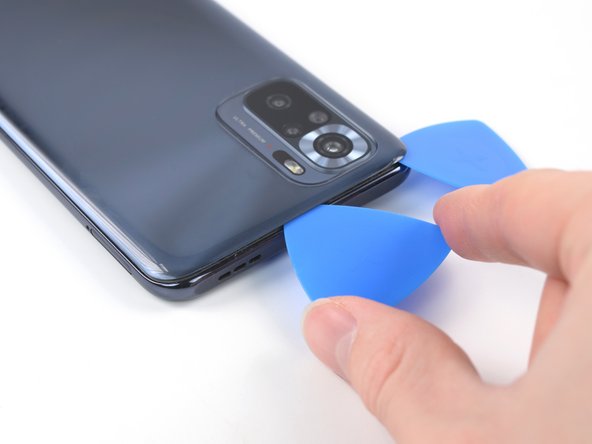
- Insert a fourth opening pick underneath the top left corner of your phone.
- Slide the opening pick along the top edge to slice the adhesive.
- Leave the opening pick in the top right corner to prevent the adhesive from resealing.
- Insert a fifth opening pick underneath the top right corner.
- Slide the opening pick along the right edge of the back cover to slice the remaining adhesive.
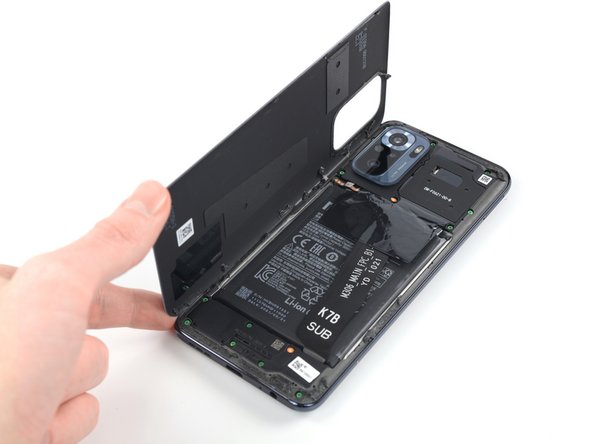
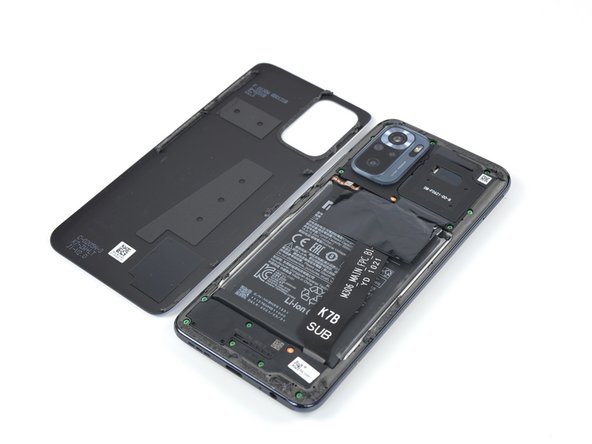
- Remove the back cover.
- Apply new adhesive where necessary after cleaning the relevant areas with isopropyl alcohol (>90%).
- Secure the new back cover with pre-cut adhesive or double-sided adhesive tape. After installing the back cover, apply strong, steady pressure to your phone for several minutes to help the adhesive form a good bond—a stack of heavy books works well.