Acer Nitro 5 AN515-53-52FA Fan Replacement
ID: 154984
Description: Use this guide to replace the fan in the Acer...
Steps:
- Before starting the replacement, make sure the laptop is turned off and unplugged.
- Flip the laptop upside down so that the bottom is facing up
- Use the Phillips #0 screwdriver to unscrew the sixteen 9 mm screws holding the back cover in place.
- Use a plastic opening pick to work your way around the edges to remove the bottom case carefully.
- Do not try to put too much force on the shell off as you may damage it.
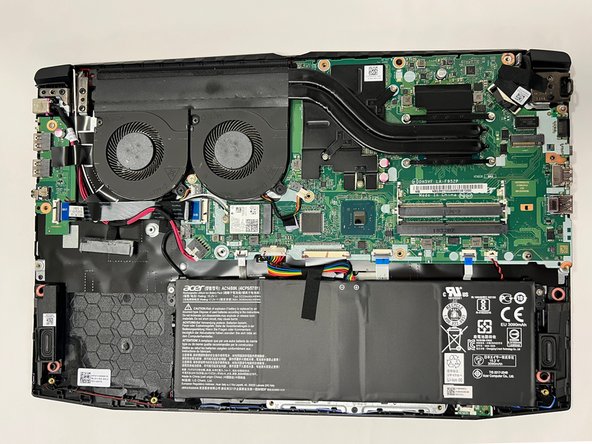
- Removing the backshell of the laptop will reveal the inside of it.
- The fan of the laptop is located on the top left of the laptop.
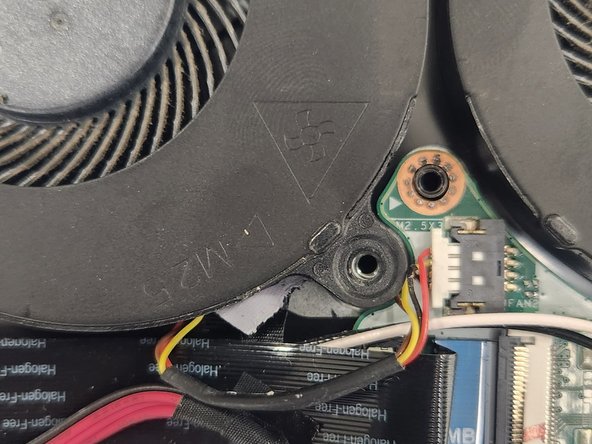
- Use the Phillips #0 screwdriver to remove the four 9 mm screws securing the fans.
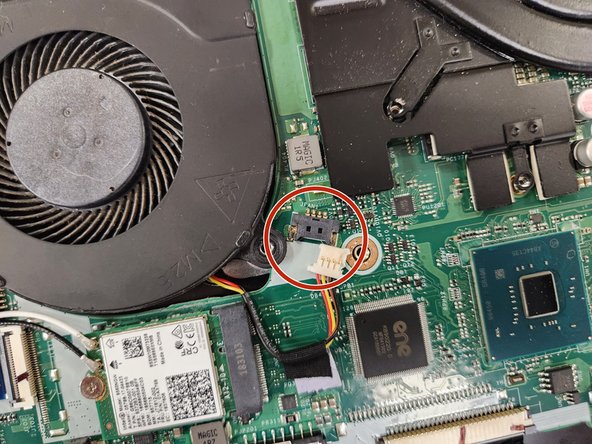
- Unplug the connectors before taking the fan out.
- Gently remove the fans from the adhesive strip.