Sony Vaio SVE171C11L Speaker Replacement
ID: 155209
Description:
Steps:
- Turn the laptop over so its underside is facing upwards and visible.
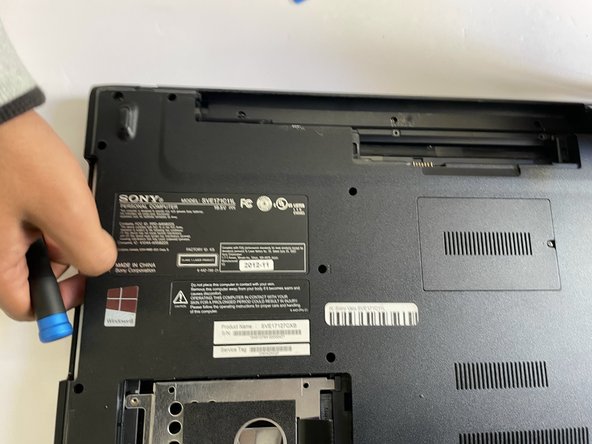
- Once you flip the laptop over, make sure the right tab is pushed upwards to unlock it.
- Use your left hand to push up the left tab to release the battery.
- After the battery is released, locate the small gap where the battery and the shell meet. Then lift the gap up and rotate the battery up and away from yourself.
- Pull the battery away.
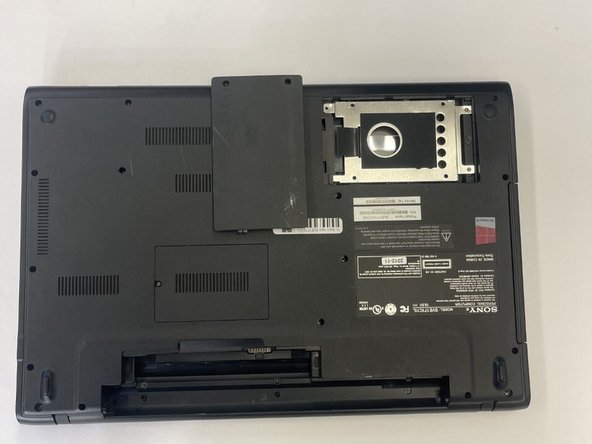
- Use a Phillips #00 screwdriver to remove the two screws that secure the hard drive cover.
- After the screw have been removed, pop the hard drive cover open.
- Use a Phillips #00 screwdriver to remove the 3 screws that secure the hard drive.
- When finished removing the screws, use your fingers to hold the blue ribbon attached from the hard drive to remove it from laptop
- Remove the eleven 3mm flathead screws that surround the back panel.
- Remove the back cover.
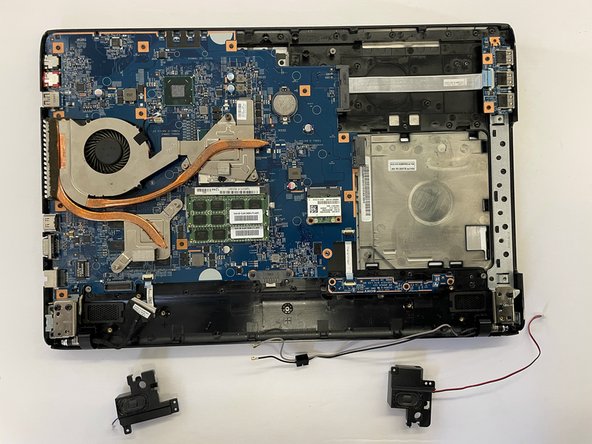
- On the left speaker, unplug the cable that is in the way so you can remove the left speaker safely.
- Remove the single screw at the bottom of the speaker
- Remove the 2 black scews that at the top of the speaker.
- Carefully remove the speaker. Keep watch no wiring is in the way.
- Do this to both sides to remove the second speaker.