iRobot Braava 375t Cleaning Cloth Placement
ID: 155681
Description: The cleaning cloth is required in order for the...
Steps:
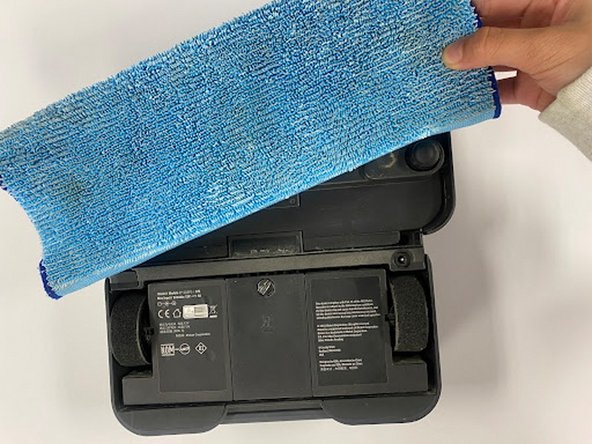
- Flip your device upside down and locate the compartment for the cleaning cloth.
- To remove the compartment, press down on the two buttons and lift upwards.
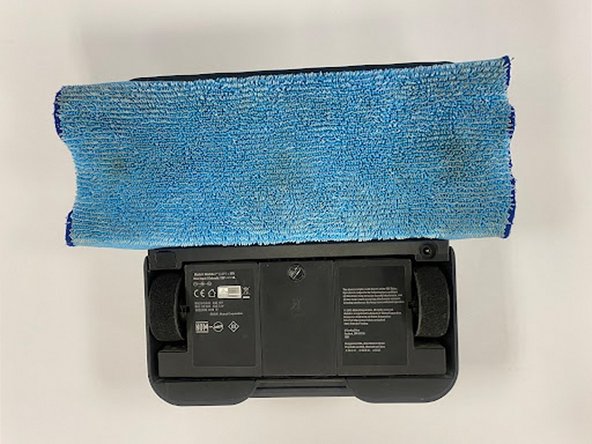
- Place your cleaning cloth onto a flat surface, with the textured side facing down. Then place the compartment on top of the cloth.
- The compartment should line up with the middle section of the cloth.
- Once the compartment is lined up on the cloth, tuck the sides of the cloth into the jagged, blue rubber edges.
- It is okay if there is overflowing on the outer corners. Just make sure the cloth is tucked in as much as possible in the middle and smooth out any creases or bunches.
- To put the compartment back line up the holes where the cloth peaks through to the two buttons on the underside of the device.
- Once they are lined up then release the compartment and adjust if needed to make sure everything fits snuggly.