Apple Watch – Series 8 Opening Procedure
ID: 157361
Description: Use this guide to open your Apple Watch Series...
Steps:
- Take your watch off the charger and power it down.
- If your touchscreen is broken and you can't power off the watch, use this alternate method to power it down.
- Because the gap between the screen and watch body is so thin, an iFlex is needed to separate the two.
- Protect your fingers by keeping them completely clear of the iFlex edge. If in doubt, protect your free hand with a heavy glove, such as a leather shop glove or gardening glove.
- Be careful not to apply too much pressure, as this might cause the iFlex to slip and cut you, or damage the watch.
- Wear eye protection. If the opening procedure is performed incorrectly or with too much pressure, the glass could crack, sending small glass shards flying.
- Attach or remove the watch band as needed to provide more control as you make repairs.
- Prepare an iOpener and apply it to the screen for three minutes to loosen the adhesive underneath.
- A hair dryer, heat gun, or hot plate may also be used, but be careful not to overheat the watch—the display and internal battery are both susceptible to heat damage.
- You may need to reheat the iOpener and repeat this procedure several times until the display adhesive softens.
- Take your time and work carefully to avoid scratching the watch body with your iFlex.
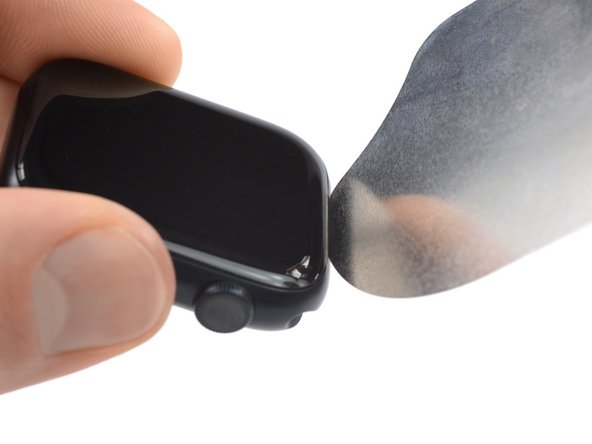
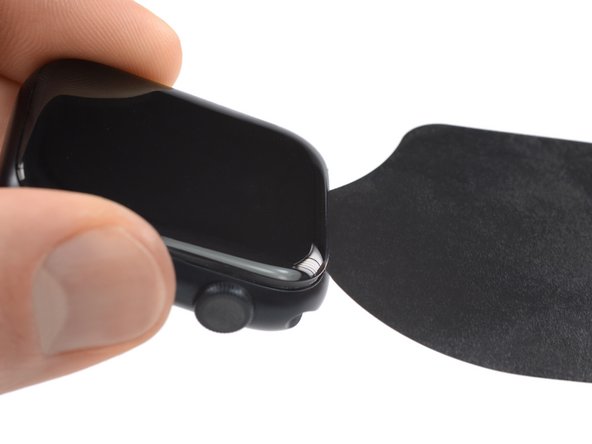
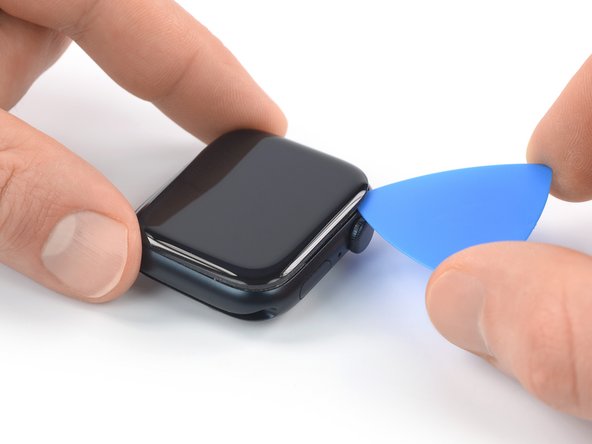
- Insert the iFlex into the thin gap between the display and frame at the edge adjacent to the digital crown.
- Tilt the iFlex down to pry the display open slightly and create a gap between the screen and the watch body.
- The Apple Watch Series 8 display is equipped with a plastic bezel on its rear side. If you want to reuse your display, avoid using too much pressure with the iFlex or you may separate the bezel from the screen.
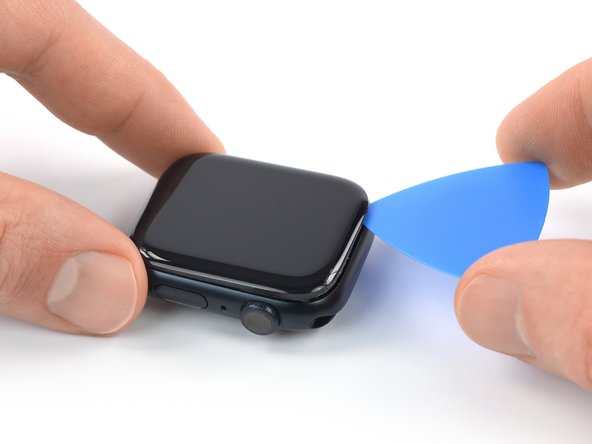
- Insert the tip of an opening pick into the gap you just created.
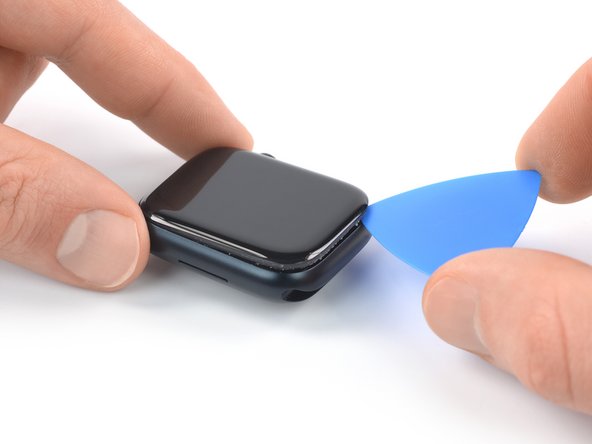
- Slide the opening pick along the short edge of the watch to slice the adhesive.
- Slide the opening pick around the corner and along the long edge opposite to the watch crown to slice the adhesive.
- Slide the opening pick around the corner and along the next short edge to slice the adhesive.
- When slicing the adhesive on the edge with the watch crown, only insert the opening pick 2–3 mm to prevent damaging the display cables.
- Slide the opening pick around the corner and toward the watch crown to slice the remaining adhesive.
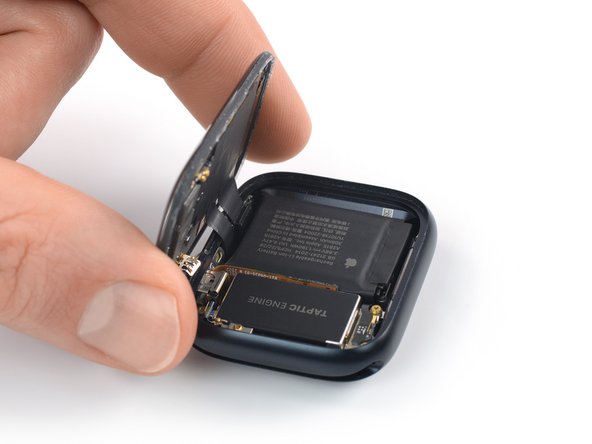
- Don't try to fully remove the display yet, as it‘s still connected to the watch assembly.
- Be careful not to strain the display cables when you open the display.
- Lift the display and carefully pull it towards the watch crown.
- Swing the display open to an upright position.
- To reseal your watch follow this general Apple Watch resealing guide.