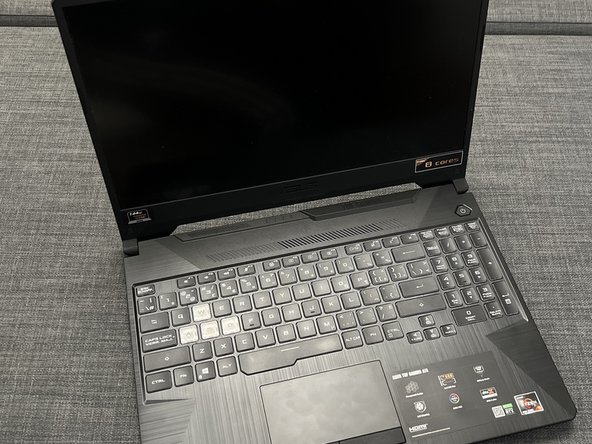
ASUS TUF Gaming A15 TUF506IV-BS91-CB Solid State Drive Replacement
ID: 157497
Description: If you have just one drive in your laptop or...
Steps:
- Turn the laptop off, and unplug the power cable.
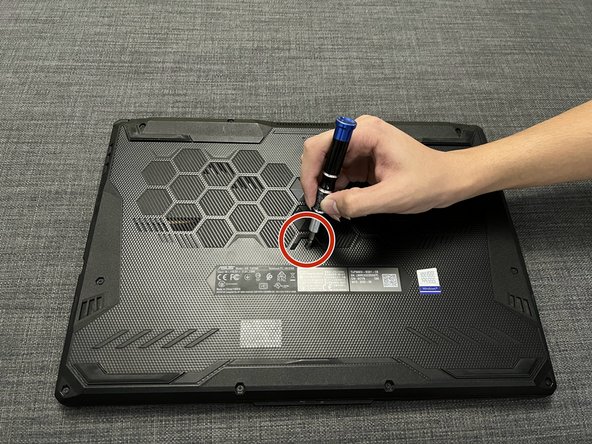
- Turn the laptop upside down.
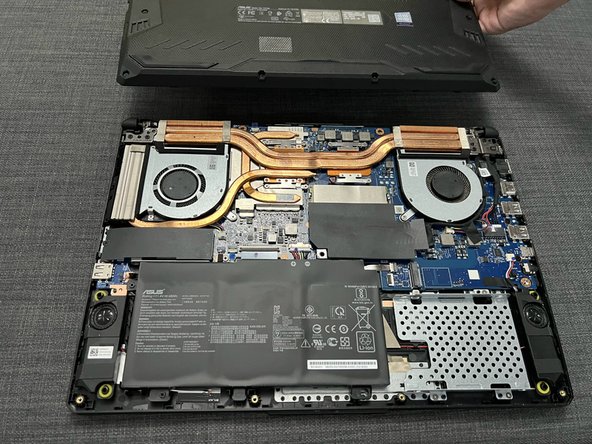
- Use a Philips #2 screwdriver to remove the 11.6 mm screws indicated and open up the bottom cover.
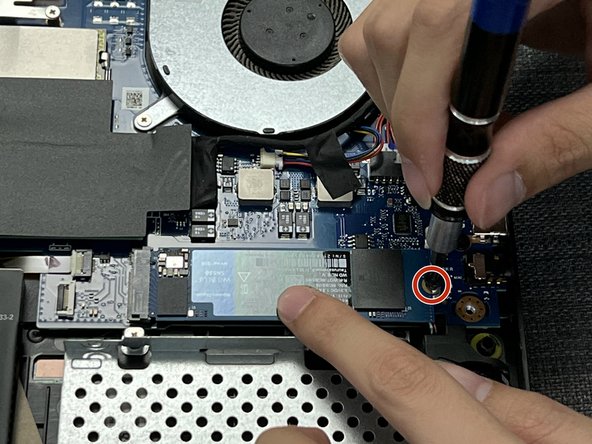
- Use a Phillips #2 screwdriver to remove the 3.6 mm screw that secures the SSD.
- Remove the tape and screw that is already set in place.
- Gently push the new SSD into position lining it up with the notch in the slot.
- Hold the SSD down gently, and use a Phillips #2 screwdriver to screw the 3.6 mm screw back in place.
- Reposition the back plate of the laptop and push it firmly until you hear all the locking notches around the sides click.
- Put back all the 11.6 mm screw in its respective holes, and tighten them gently using the same screwdriver used previously.