Dyson DC24 Dust Bin O-Ring Replacement
ID: 157716
Description: This guide is for maintaining the dust...
Steps:
- Remove the dirt container by clicking on the red button.
- Pull away the container from the main body.
- Push on the gray release tab on the back of the container.
- This separates the clear container piece from the filter/suction region.
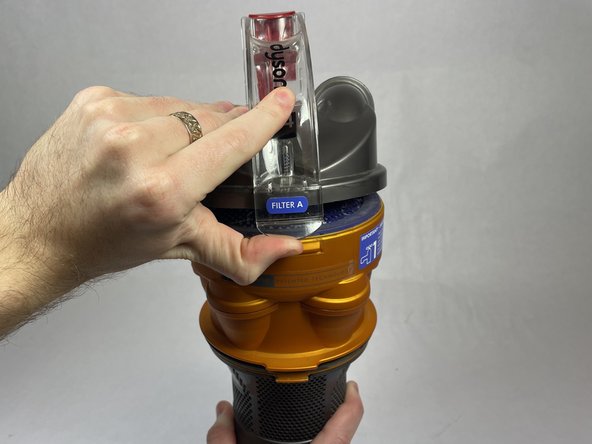
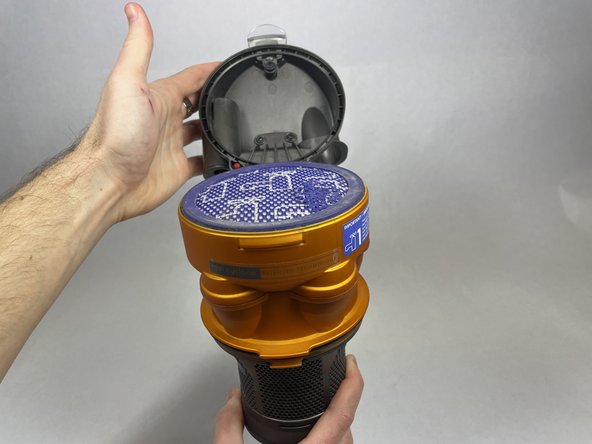
- Grab the top filter piece and pull the clear tab out towards you and this should release the top chamber and reveal a filter.
- Remove the filter from the dust container.
- Depending on the level of cleanliness of the filter you will need to clean it or order a new one.
- Use a T15 screwdriver to carefully unscrew and remove five 19.1 mm screws.
- Make sure to keep the red plastic piece. When putting the pieces back together you will need to orient the red plastic piece properly (see arrow for piece).
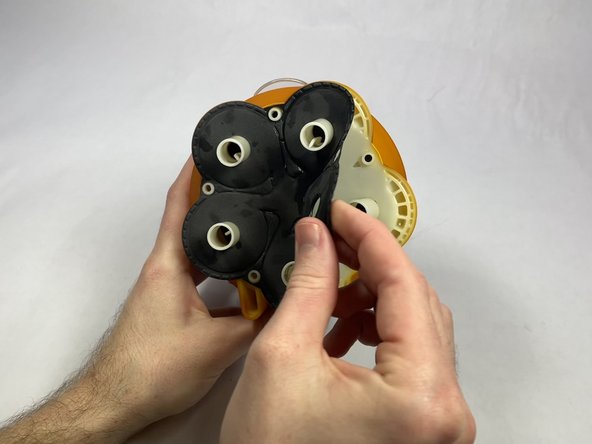
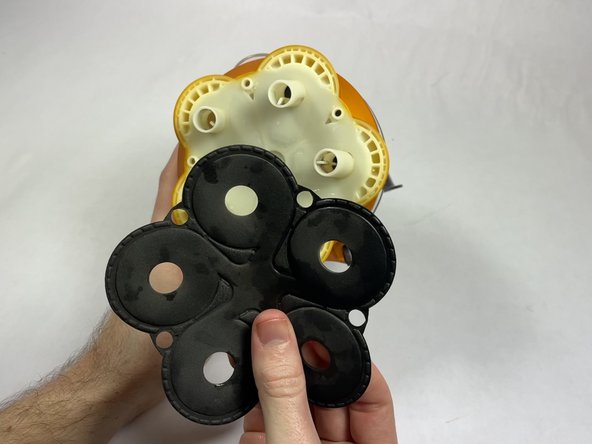
- On the bottom of the piece that lifts up, you will see a hexagonal divider ring. This can be removed by lifting from an edge and pulling.
- On the bottom piece, there is a second more traditional-looking o-ring. Remove this by grabbing the ring, pulling it out towards you, and down.