How to fix sticky buttons for a TI-30X IIS
ID: 157747
Description: If your Texas Instruments Calculator(model...
Steps:
- Use the #0 Phillips screwdriver to remove the 4 screws at the back of the calculator
- Use a Flat Head Screwdriver or a thin strong object like a card to separate the front and the back of the case.
- Separate it carefully to not break the 8 clips.
- Use a pointed tool to push the battery out of its terminal until it is out far enough to remove with your fingers.
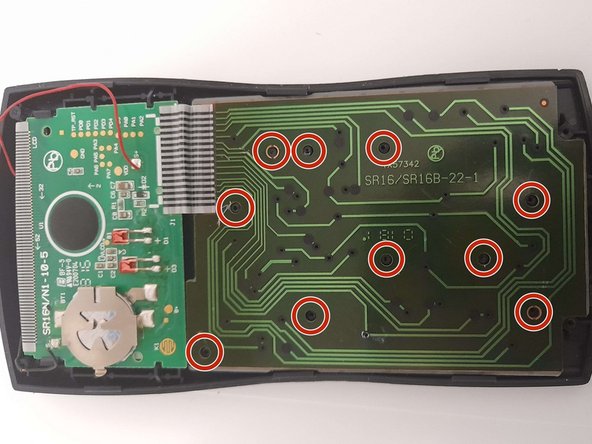
- Using a knife, Razor, or other perscion cuting tool, remove the top of the 10 plastic rivets that connect the keyboard sensor to the front case.
- Be careful when moving the calculator when the rivets are gone since they keep the calculator's keyboard sensor and keys together when the calculator back case is off. Keep keys down to prevent the loss of keys.
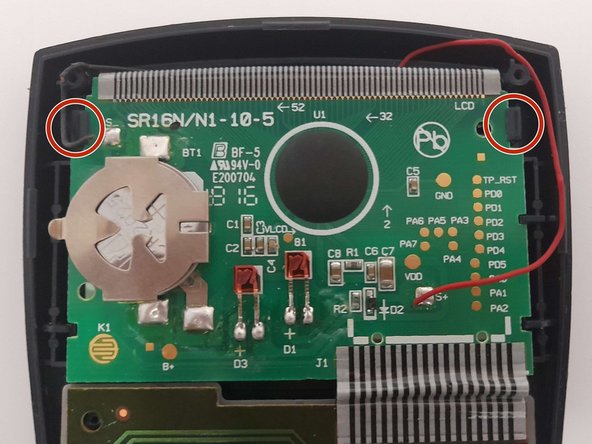
- Use a flat tool to unclip the two tabs that secure the circuit board.
- Remove the circuit board, keyboard sensor, and keyboard membrane from the front case.
- The circuit board has 2 wires connecting to the solar panel, This cannot be removed without soldering/desoldering the connecting wires. Move all listed parts above to a location where there is little to no tension on the wired to prevent damage.
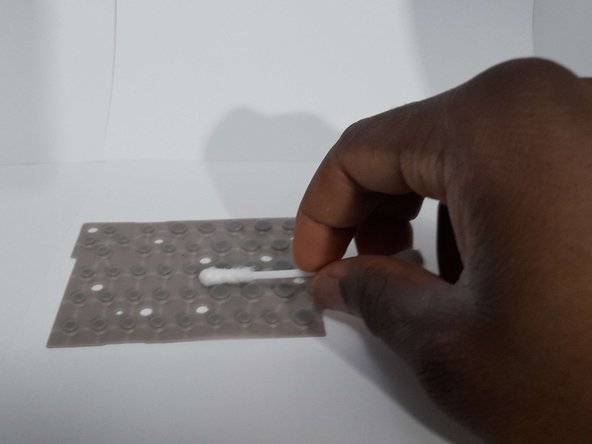
- Use rubbing alcohol to wipe down both parts using q-tips or any other cleaning cloth.
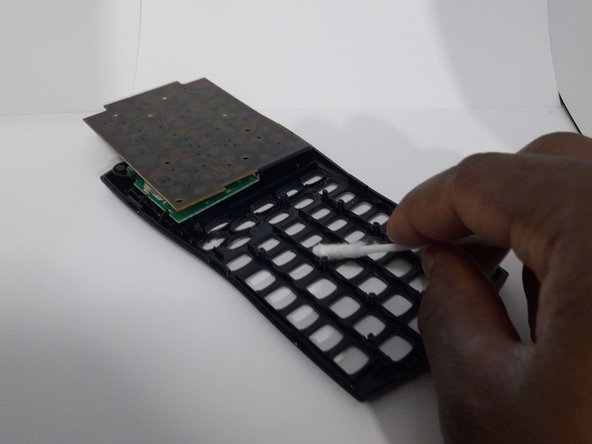
- Using q-tips, remove the keys and clean the keyhole and the keys to ensuring that they are residue-free. When done, return all the keys to their original position.
- Keys are very light and small, have a container or a safe location to keep keys to prevent keys from getting lost.