Crown Range Hood AFG-AC/SS Light Bulb Replacement
ID: 157748
Description: If the lightbulb of your Crown Range Hood Model...
Steps:
- Check to make sure the the range hood is off.
- To turn the range hood off, press the highlighted button.
- The range hood should not emit any light or make any noise.
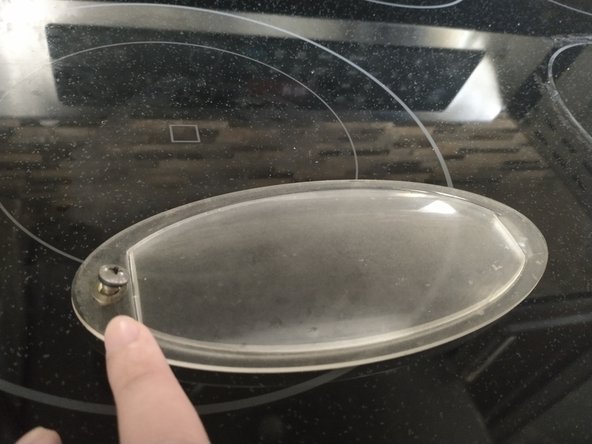
- Use the Phillips #00 to remove the single screw securing the lightbulb panel to the ceiling of the range.
- Too prevent both of the items from falling, hold onto the screw and panel during removal.
- Slide the lightbulb cover out from the recessed area under the hood.
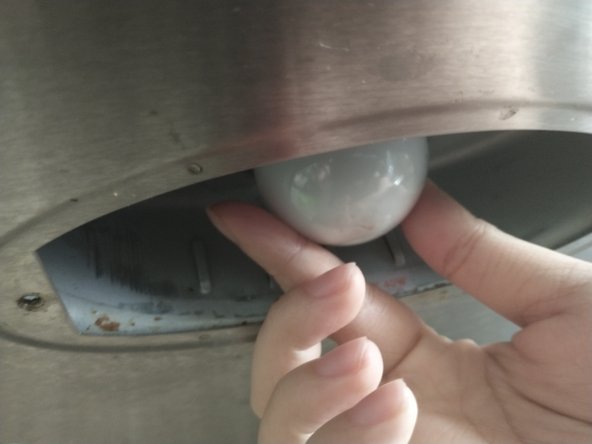
- Twist the light bulb left to remove it from the range hood.
- Use a cloth or a paper towel to clean the inside of the light bulb area.
- Be sure to remove any debris or rust that might impair the installation of the new light bulb.
- Guide the new lightbulb to the middle of the lightbulb base.
- Install the new lightbulb with a twisting motion to the right.
- Ensure the lightbulb is tightly secured onto the lightbulb base but don't overtighten.
- Place the screw back into the light bulb cover.
- Set the light bulb cover back onto the light recess.
- Use the Philips #00 screwdriver to tighten the single screw that holds the light bulb cover in place.
- Turn the light on to make sure your repair was successful!