Lenovo ThinkPad W541 Touchpad Replacement
ID: 157779
Description: Use this guide to replace the touchpad on your...
Steps:
- Slide the clips outwards and remove the battery by pushing upwards.
- Remove the two Phillips #00 screws on the cover plate. Remove the cover plate.
- Remove four 9.0 mm Phillips #00 case screws.
- Remove three 9.0 mm Phillips #00 screws circled with red in the second picture.
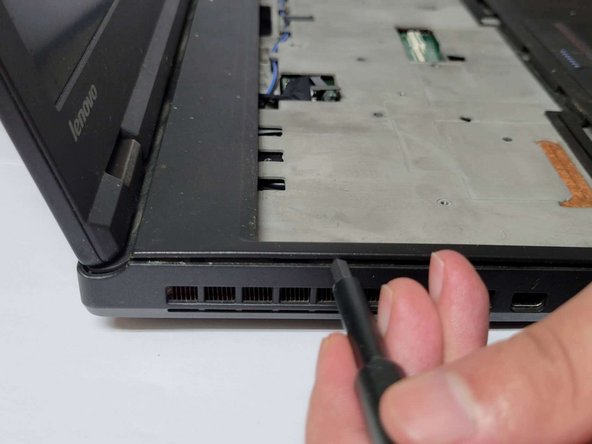
- Slot the pry bar below the keypad as shown in the first picture below and push upwards.
- Remove the six Phillips #000 screws circled with red in the second picture, lift up the keyboard.
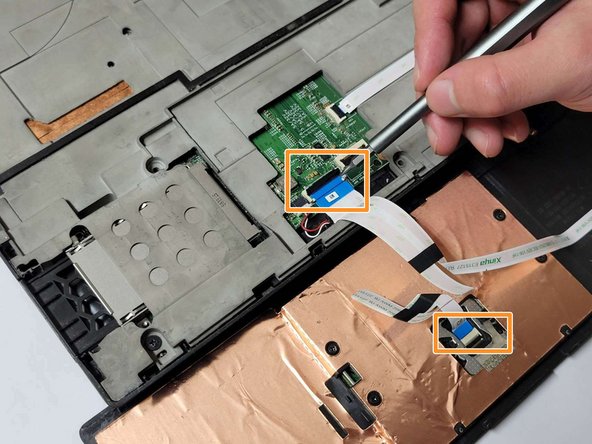
- Open the black clips connected to the motherboard and remove the ribbon cable.
- Use a pry bar to pry open the black protective casing upwards.
- Flip the casing over. Open the black clips upwards and remove the cable.
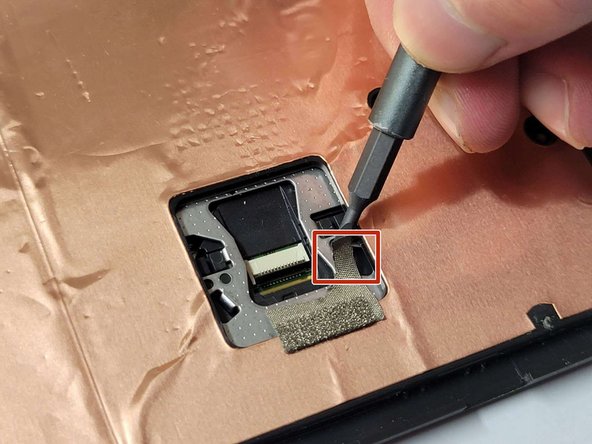
- Remove the four 2.0 mm Phillips #000 screws circled with red in the first picture.
- Carefully remove the metal tape and save for reassembly.
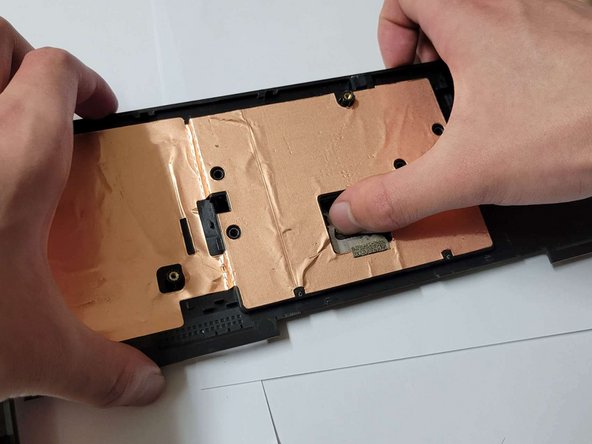
- Apply slight pressure to the back of the broken trackpad.
- Remove old trackpad and replace with a new one.