Tofu65 Key Switch Replacement
ID: 157804
Description: This guide shows how to replace a key switch on...
Steps:
- Unplug the power cord.
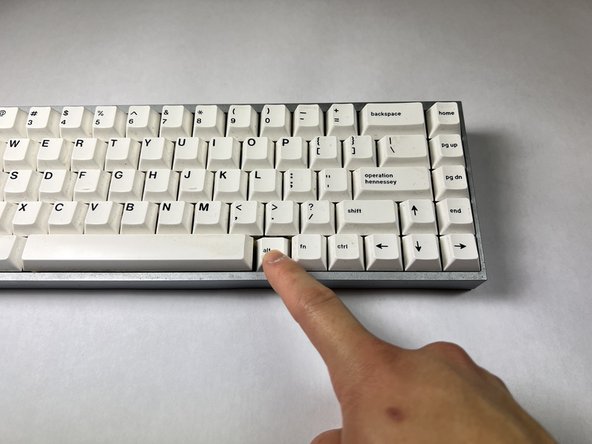
- Remove the keycap by using a dedicated keycap remover or creating a hook-like tool with paperclips or using other tools.
- Ensure that you pull it straight up without damaging the switch.
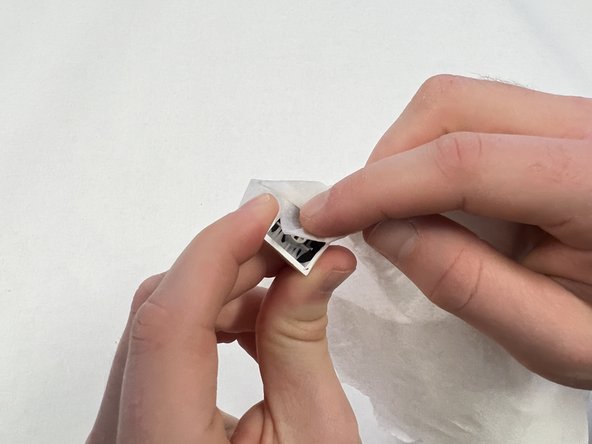
- Clean the keycap either by swabbing the inside and outside with a wet cotton swab or submerging the keycap in a small container with warm water for 30 minutes.
- Hand/dish soap can be used as well but not necessary.
- Dry the keycaps.
- DO NOT leave the keycaps in sunlight or else they could warp.
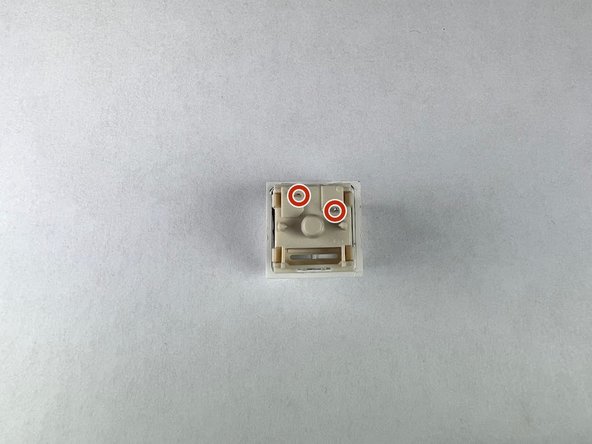
- In order to remove the switch, locate the two switch housing pins near the top and bottom of the switch that hold it in the keyboard plate.
- The switch can be removed with a dedicated switch remover or two small flat head screwdrivers.
- Pinch the dedicated switch remover tool on the two housing pins or push them in with the two screwdrivers.
- The switch should become loose.
- Pull the switch straight up and out of the socket.
- Before replacing the switch, ensure that the new switch does not have any bent pins.
- If the pins are bent on the new switch, carefully bend them back so that they are pointing straight.
- Line up the pins with the sockets on the keyboard.
- Firmly push straight down.
- The switch should click into place and should fit tightly in the keyboard plate.
- Ensure that it is level and flush.
- Pop the respective keycaps back onto the switch by pushing straight down and firmly so that the cap fits all the way onto the switch.
- Make sure that there is no residual moisture as any moisture can leak into the keyboard and cause water damage/break the entire keyboard.