RK5 PLUS VR Headset Headband Replacement
ID: 157832
Description: Follow this comprehensive guide to repair a...
Steps:
- Place the headset right side up and facing you on a flat surface.
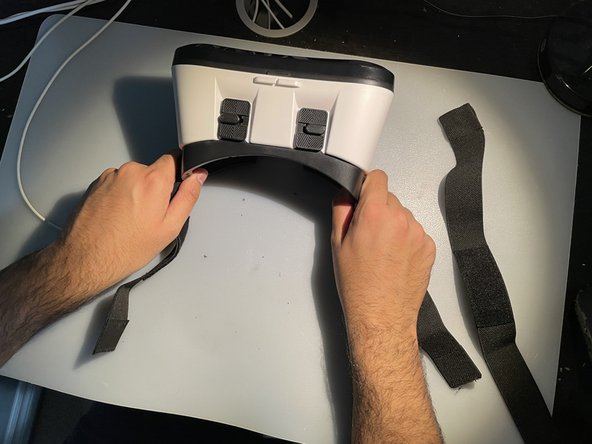
- Gently detach the velcro straps from the top, left, and right sides of the headset and set them aside.
- Remove the white headband adjustment part and carefully pull it off of the three straps.
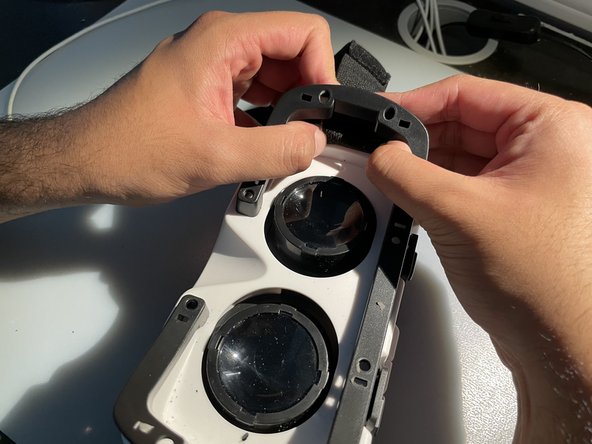
- To access the straps that need to be replaced, remove the padding around the visual lenses of the headset.
- To do this, use your hands to detach the plastic frame between the padding and the lenses.
- If you need help getting started, use a spudger or opening tool and undo the clips holding the plastic frame.
- Unhook the old straps from the sides of the headset.
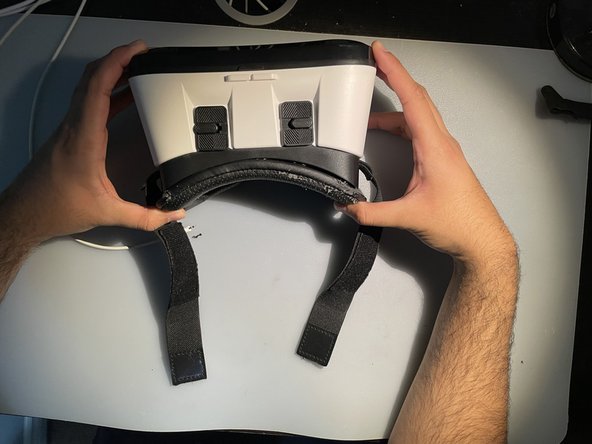
- Reattach the new velcro straps to each of the white hooks.
- Make sure the straps are securely attached to the hooks before moving on to the next step.
- Reattach the plastic frame with the padded back onto the headset.
- Make sure the padding is properly aligned and clicked into place.
- Reattach the top band into the top hook of the headset.
- Take the other sides of the velcro straps and hook them into the white headband adjustment part.
- Check that the straps are properly aligned and securely attached to the headband adjustment part.
- You have successfully replaced your damaged headbands for the RK5 Plus VR headset!