NuVision Duo 11 Motherboard Replacement
ID: 160290
Description: Follow these steps to replace the motherboard....
Steps:
- Place the flat end of a nylon spudger in the gap between the cover and the rest of the device.
- Slide the spudger down each side until you hear numerous clicks.
- Remove the back panel from the tablet.
- Carefully remove any pieces of electrical tape that may be adhered to the battery.
- The tape may be adhered to wires; be sure to pull up the tape slowly.
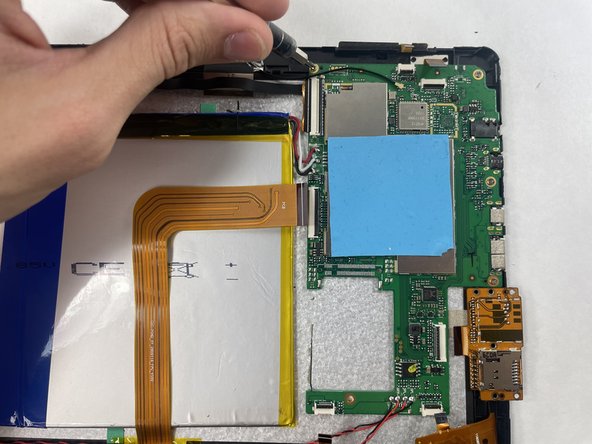
- Desolder the battery carefully from the motherboard.
- For help with soldering, visit iFixit's How to Solder and Desolder Connections guide.
- Gently peel the battery from the front case.
- You will be met with some resistance, so it is critical that you are very careful.
- DO NOT puncture or bend the battery. It may explode or leak toxic chemicals.
- Desolder the black and red wires from the motherboard.
- For help with soldering, visit iFixit's How to Solder and Desolder Connections guide.
- Pry the speakers from the casing using a nylon spudger.
- The speakers may be glued down, so use caution when prying them out.
- Disconnect each ribbon cable from their respective clips on the motherboard.
- Remove the four 4.8 mm screws from the motherboard using a JIS #000 screwdriver.
- Remove the motherboard from the tablet.