Sony UBP-UX80 Top Cover Removal
ID: 160366
Description: To replace any parts within this device, you...
Steps:
- Use a Phillips #2 screwdriver to remove the two 10.5 mm screws that secure the two side panels onto the back of the player.
- Slide both covers back about a 1/2 inch, then pull them away from the case.
- Use a Phillips #2 screwdriver to remove the two 10.5 mm screws on the side of the case, each connecting to a tab on the cover.
- Similar to the previous step, it is identical cases on both sides of the device.
- Use a Phillips #2 screwdriver to remove the two 10.5 mm screws (one next to the Wi-Fi logo and one next to the Blu-ray logo).
- Press in the tabs found on the front-sides of the case (connected to the front panel).
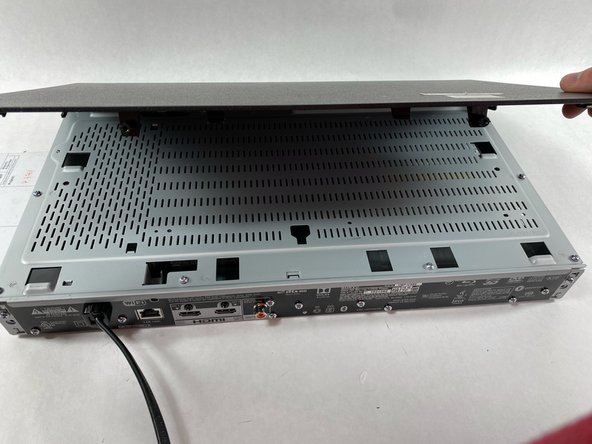
- Slide the top cover forward.
- Lift off the case.
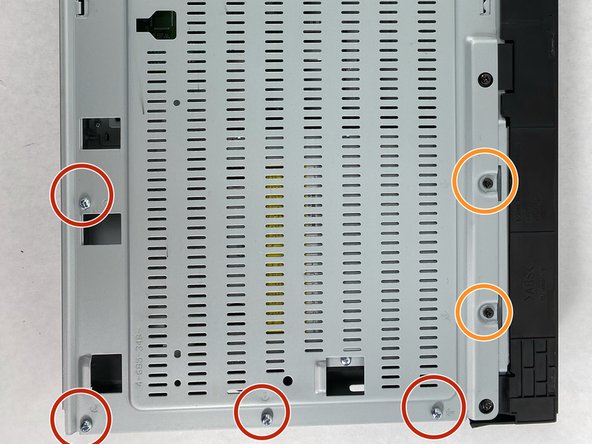
- Find the eleven 10.5 mm silver screws and two 6 mm black screws on the perimeter of the silver cover plate.
- Remove the silver screws using a Phillips #2 screwdriver and the black ones using a Phillips #1 screwdriver.
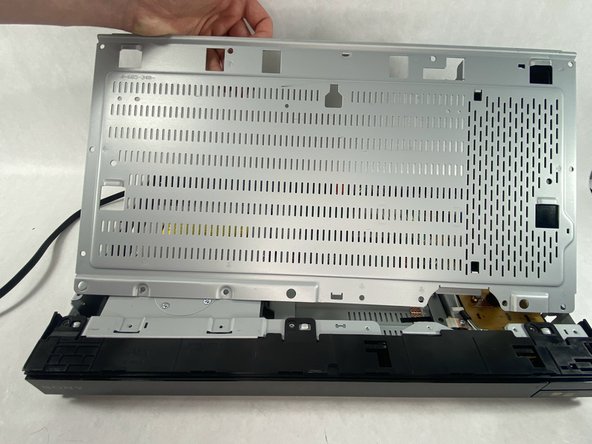
- Life the back of the cover up and off of the chasis.