Beboncool Wireless Switch Pro Controller Buttons Replacement
ID: 160374
Description: This guide describes how to remove broken or...
Steps:
- Use a Phillips #0 screwdriver to remove the seven 5 mm screws from the back of the controller.
- Gently separate the top and bottom halves of the controller.
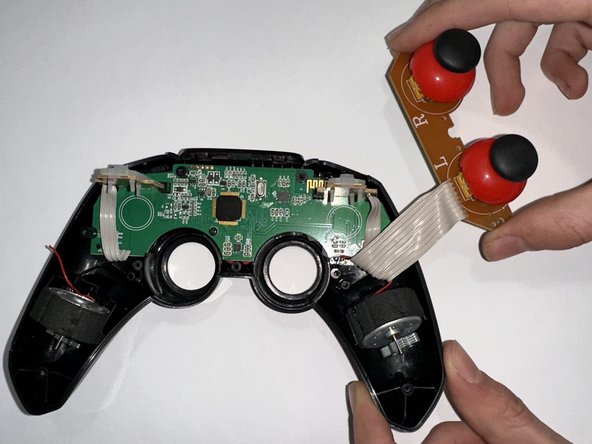
- Use a Phillips #0 screwdriver to remove the two 5 mm screws holding the joystick motherboard in place.
- Carefully move the bumper buttons out of the way.
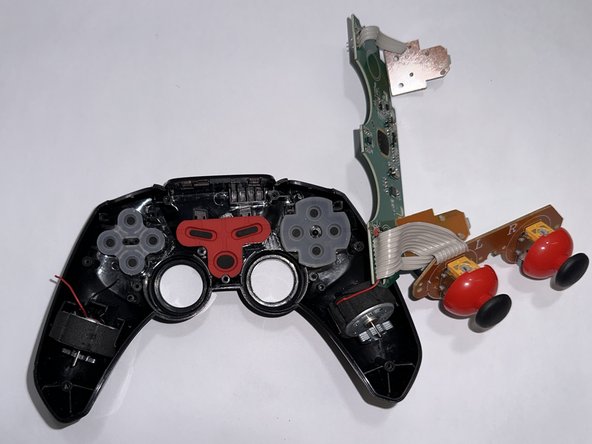
- Use a Phillips #0 screwdriver to remove the 5 mm screw holding the motherboard in place.
- Remove the motherboard.
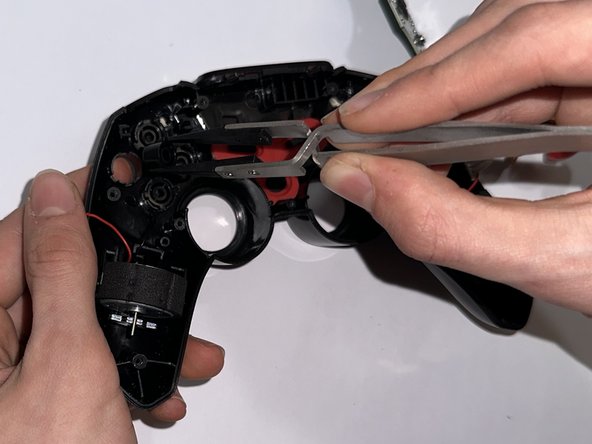
- To remove the alphabetic buttons, remove the translucent silicone cover.
- Use tweezers or your fingers to remove the buttons.
- Pushing a button from below will elevate them enough to easily grab them.
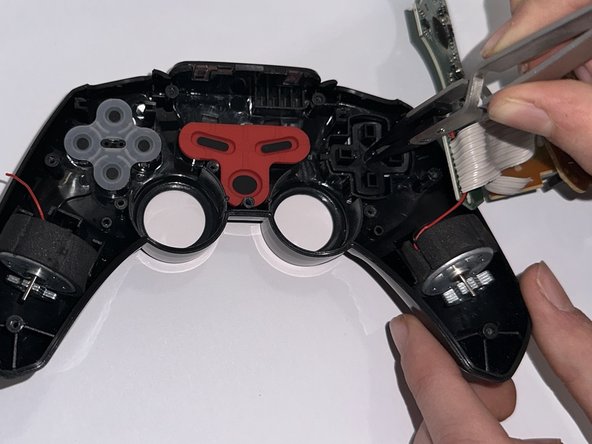
- To remove the directional buttons, first remove the translucent silicone cover. Then, use tweezers or your fingers to remove the button pad.
- As with the alphabetic buttons, push on the buttons from below, then grab them.