Nikon D700 Screen Replacement
ID: 160395
Description: If your Nikon D700 screen needs to be replaced...
Steps:
- Use a spudger and your hands to remove the front grip cover, held together by an adhesive.
- You may need to use heat to loosen up the adhesive. Try using the iOpener.
- Under the rubber cover, use a screwdriver to remove one screw on the top right corner.
- Use a Phillips #00 screwdriver to remove the five screws that hold the cover in place.
- Gently remove the screen by pulling the top away from the body.
- The screen is connected by wires on the bottom, so be careful when taking the screen off.
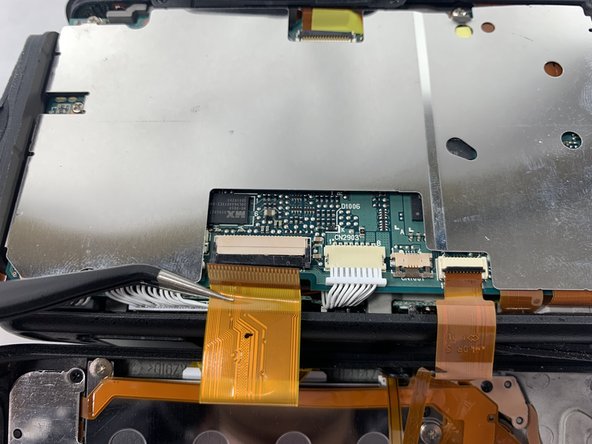
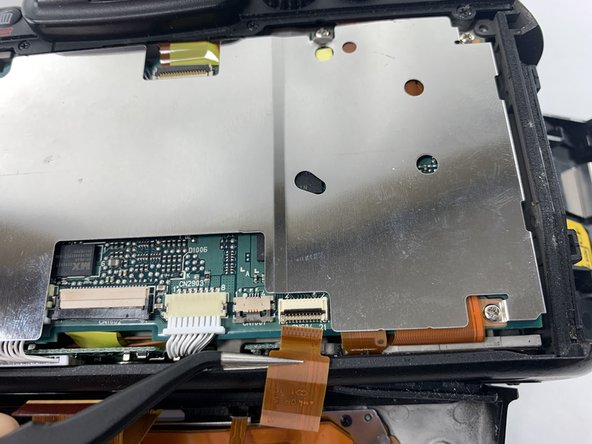
- To remove the screen entirely, use a spudger to unlock the connectors.
- Pull the cables out gently using tweezers or your spudger.
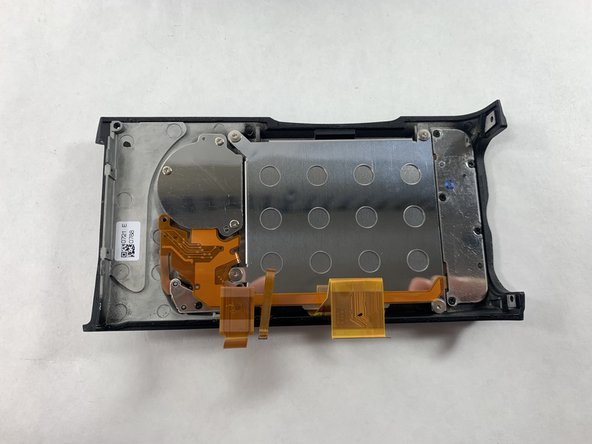
- The screen should be completely detached from the camera and can now be replaced with a new screen.