iRobot Roomba i7 Plus Drive Wheel Replacement
ID: 160438
Description: This guide will show you how to replace the...
Steps:
- Flip the Roomba over so the underside is facing up.
- Remove the 4 mm screw connecting the green side brush to the chassis using a Phillips #2 screwdriver.
- Remove the green side brush.
- Remove the five screws from the underside of the Roomba using a Phillips #2 screwdriver.
- Pull the back plate up and away from the Roomba to remove it from the device.
- Loosen the two captive screws from each wheel (four in total) using a Phillips #2 screwdriver.
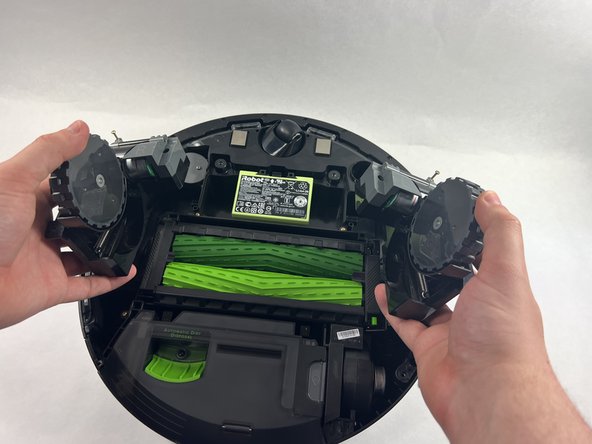
- Grab each wheel and gently pull them out.