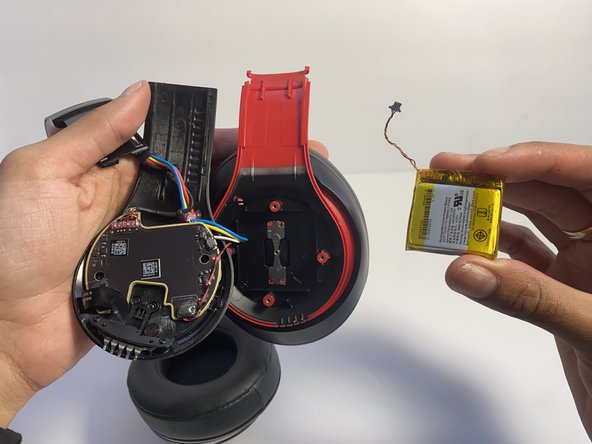
Beats Studio3 Wireless Battery Replacement
ID: 160458
Description: Use this guide to replace the battery in your...
Steps:
- Use a pointed nylon spudger to remove the center circular panel on the right side of your device.
- Be gentle while removing this piece as it is glued on with adhesive.
- Remove the four 3.5 mm screws using a Phillips #0 screwdriver.
- Using a pointed nylon spudger, remove the tab located on the inner part of the headband labeled "R."
- Place the nylon spudger in between the side panels and push inward going from bottom to top to separate both sides of the panel.
- The panel will pop open after separating.
- Place the nylon spudger underneath the battery, push inward and separate the battery from the inside.
- Never use sharp tools to pry batteries. Metal spudgers can puncture an unprotected battery, potentially causing a fire.
- Use a nylon spudger to lift up the glue sticking the wires down.
- Use a nylon spudger to lift the connector to disconnect the battery.