Surface Laptop Studio Fan Replacement
ID: 160462
Description: This guide will demonstrate how to replace your...
Steps:
- Remove the rubber cosmetic strip along the outside edge of the back plate with tweezers.
- Use a hair dryer to lightly heat the rubber feet to soften the adhesive securing them to the case.
- Remove the two rubber feet on the lower case with an opening tool.
- If you intend to reuse the rubber feet, take care not to warp, stretch, or tear them during removal.
- Remove the two screws with a T3 Torx screwdriver.
- Remove the seven screws securing the lower case with a T3 Torx screwdriver.
- Lift the lower case gently and set it above the device.
- Take care not to strain the battery cable as you move the lower case.
- Disconnect the battery cable by lifting the pull tab until it "clicks."
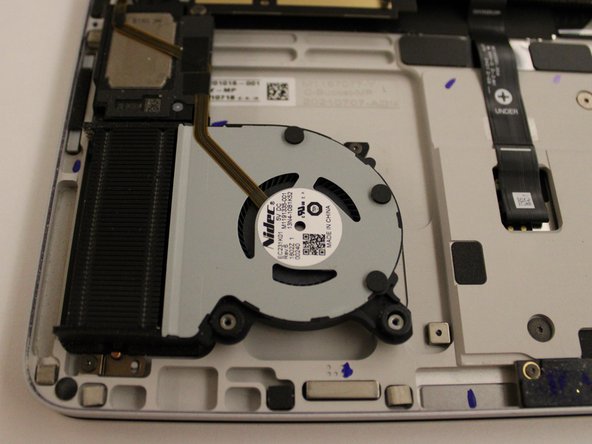
- Remove the screws securing both of the fans with a T3 Torx screwdriver.
- Flip up the ZIF locking flap on each socket.
- Disconnect the ribbon cables attached to each fan.
- Lift the fans up and out.