Logitech G915 TKL Volume Wheel Replacement
ID: 160801
Description: Use this guide to remove and replace the volume...
Steps:
- Turn the keyboard around and peel back the Logitech sticker near the top center of the keyboard, as well as the plastic layer underneath.
- Unscrew the two 2.5 mm #0 Phillips screws circled in the picture provided.
- Remove the backplate by grabbing the notch to the right and pulling up.
- Remove the foam strips shown in the picture provided.
- Unscrew all the 2 mm #00 Phillips screws on the back of the keyboard circled in the picture provided.
- Remove the keyboard's casing to reveal the motherboard.
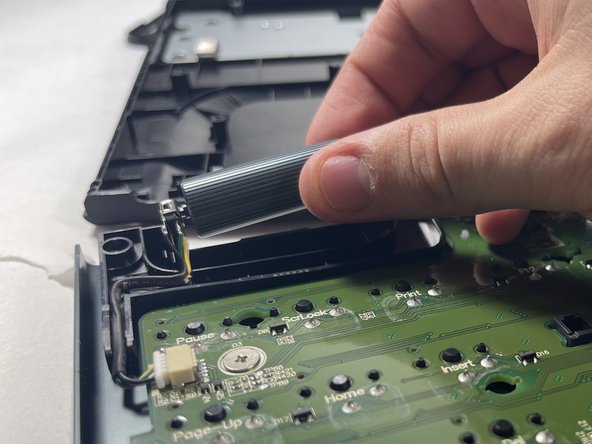
- Carefully remove the volume wheel from the device using your fingers.