Scuf Instinct Pro Batteries Replacement
ID: 163188
Description: Follow this guide to replace the batteries in...
Steps:
- Unplug all cables from your controller before starting.
- Completely power off your controller.
- Weak magnets and two clips along the bottom edge secure the battery cover to the controller.
- Slide the battery cover away from the controller to remove it.
- If your batteries are starting to corrode, clean the contacts and replace the batteries.
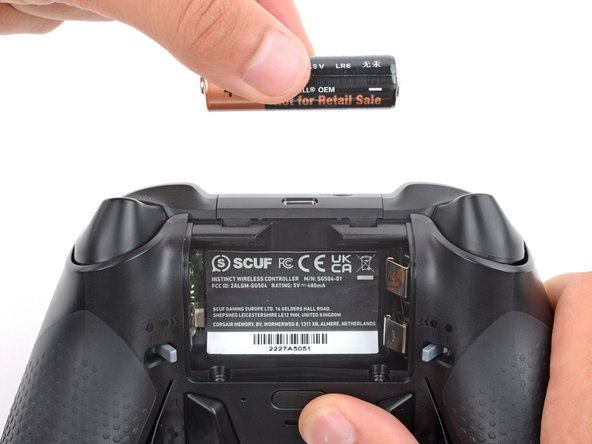
- Use your fingers to remove the batteries.
- During reassembly, insert the batteries so their positive (+) and negative (–) ends match up with the markings on the battery contacts.