ICT Key Fob Battery Replacement
ID: 163303
Description: This guide provides steps for replacing the...
Steps:
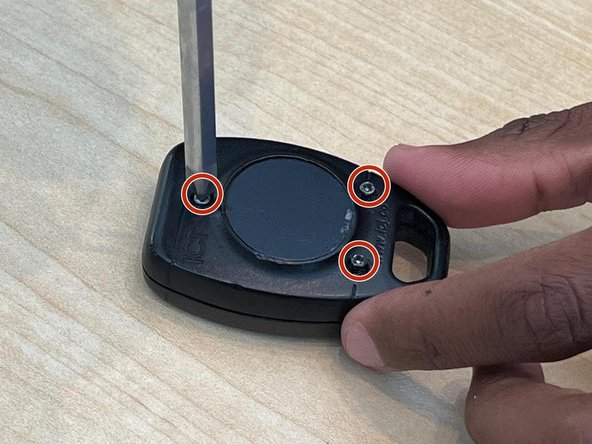
- Place the key fob so that the back panel is facing up.
- Use the Phillips #00 screwdriver to remove three screws securing the battery compartment cover.
- If there are no visible screws, the cover may be held in place by clips or a sliding mechanism.
- Carefully open the compartment using a small tool if necessary.
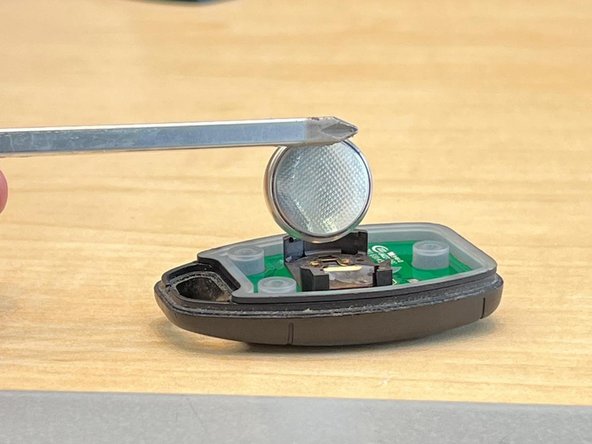
- Take note of the battery's orientation (positive terminal up) before removing it to ensure you insert the new battery correctly.
- Gently slide the battery out or lift it using an iFixit opening tool.
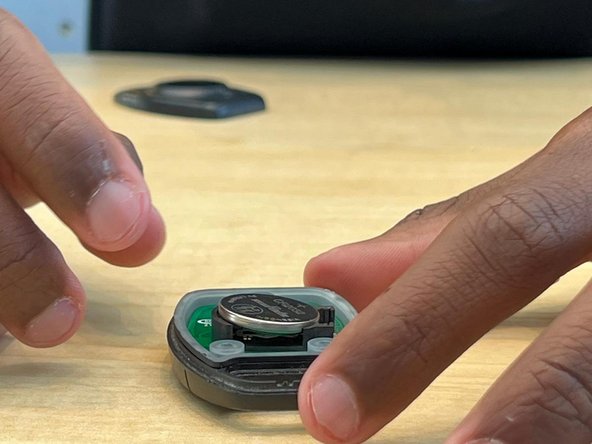
- Insert the new battery into the battery compartment, making sure to align it with the correct polarity (+ and -).
- Press the new battery firmly into place to ensure a secure connection.
- Put the battery compartment cover back in place by tightening the three screws using a Phillips #00 screwdriver.
- Press a button on the keyfob to ensure it's working properly with the new battery.
- If the keyfob doesn't respond, double-check the battery orientation and try again.