HP Notebook 15-db003ca RAM Replacement
ID: 163382
Description: This guide demonstrates how to replace the RAM...
Steps:
- Place the powered-off laptop on a clean workspace.
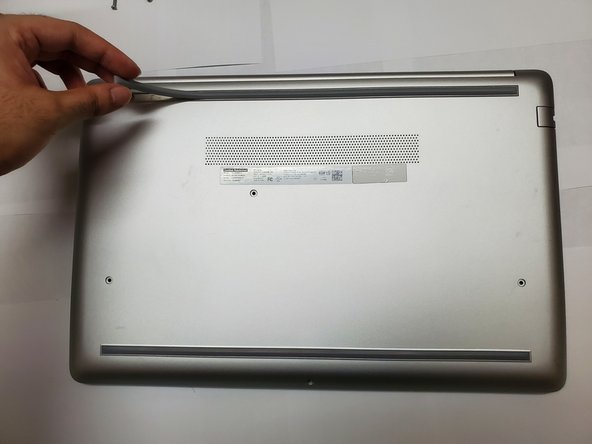
- Flip the laptop over such that the backside of it is facing you.
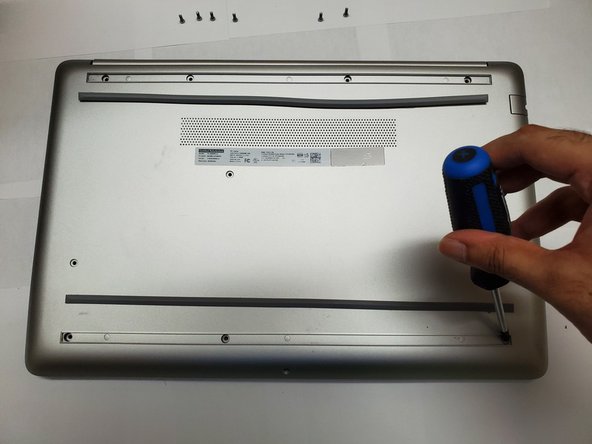
- Grab a Phillips #1 screwdriver.
- Remove the four 9 mm screws from the back panel using a Phillips #1 screwdriver.
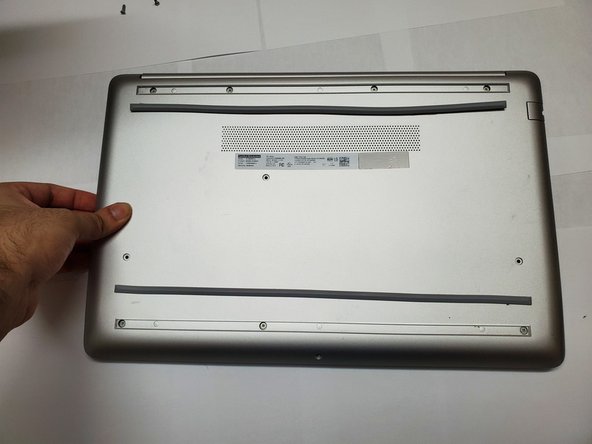
- Peel the two strips to uncover more screws.
- Place the strips near where they were removed.
- Remove the remaining seven 9 mm screws using a Phillips #1 screwdriver.
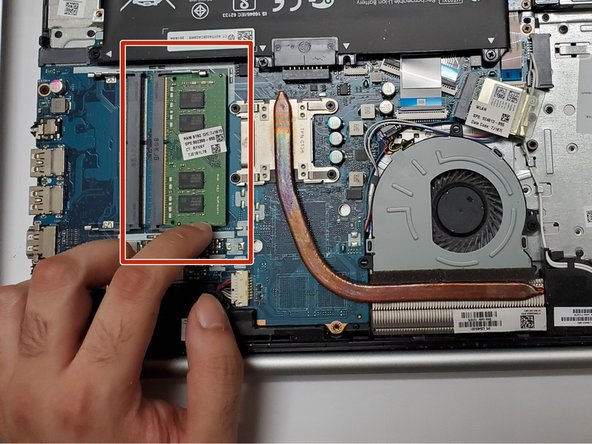
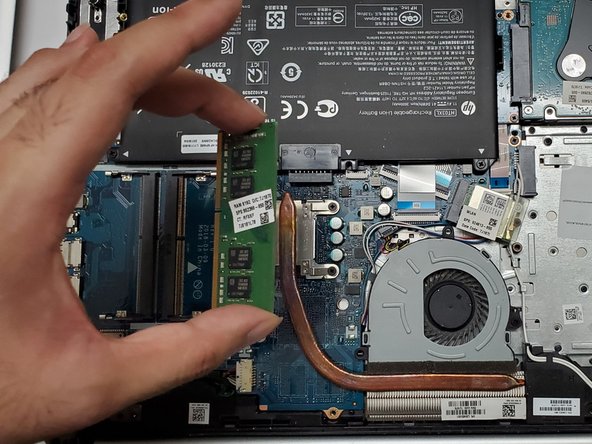
- Remove the back panel and locate the RAM stick.
- Push the RAM to remove it from its slot like shown in the picture.
- When reassembling, ensure the memory is inserted into the slot and pushed until it clicks into place.