Wacom Bamboo Pen LP160E Disassembly
ID: 164933
Description: The pen can be difficult to disassemble as it's...
Steps:
- Place the pen on the working area
- Make sure the pen is clean and free of any slippery substances, as disassembly requires a lot of friction
- Nib does not have to be removed.
- The pen buttons are firmly clipped in to the lower part of the pen body.
- Press the lower button to make the insertion of a tool easier
- Insert a thin piece of plastic underneath the button and pull it
- The pen buttons are not required to be removed to take out the PCB board of the pen.
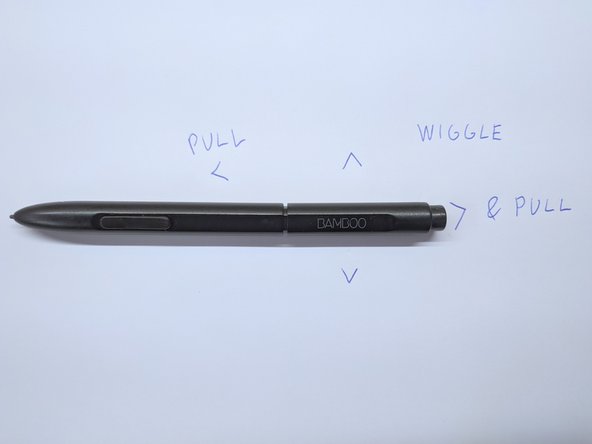
- Two main elements of the body are held together with friction. No glue is present
- Pull the body parts in opposite direction while wiggling the upper part up and down
- SIlent creaking sounds might be emitted
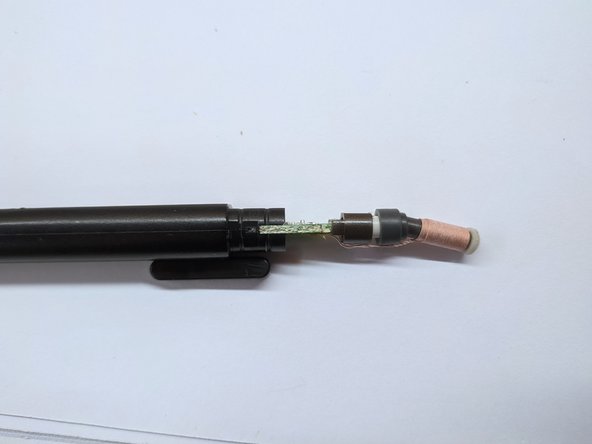
- Reduce the power of pulling if the plastic part is almost loose. Check the third image in the gallery to estimate how much of the plastic body part is still inside.
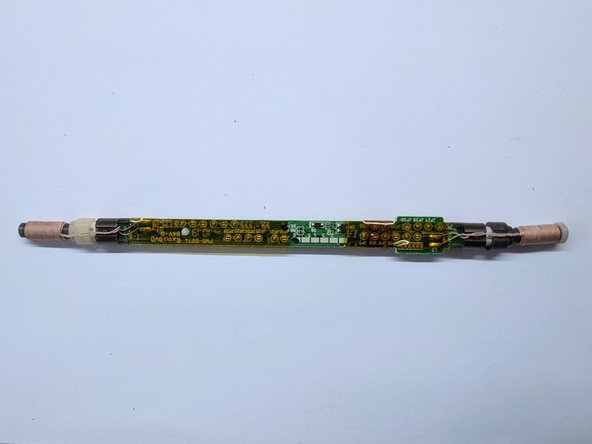
- Slide out the PCB board of the pen
- The eraser and pen tip coils are loose and only held by two thin copper cables. Watch out not to break them!
- All parts of the pen should now be loose.
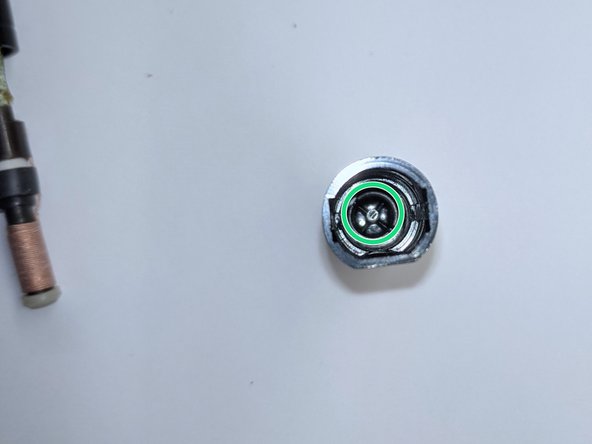
- Upon reassembly, align the hole inside of the eraser coil to the plastic element inside of the upper part of the pen body.